The best Sudowrite alternatives at a glance
The best comparison of AI writing tools is the one you make yourself, knowing your own needs. At a glance, Type.ai and Sudowrite are the most powerful, serious tools for your work. They leverage the most advanced models the most effectively, with Type.ai maintaining a slight lead over Sudowrite for serious creation.
Novelcrafter is best for rare highly technical users who want or need to hook up their own AI engines to a tool rather than use the usual (and for most people, best) options.
NovelAI is an image generator and text creation tool that mostly focuses on the early stages of brainstorming and worldbuilding. It’s a bit underpowered, but offers a few interesting options for authors who want to play with their ideas before setting them in stone.
Both AutoCrit and ProWritingAid are specialized review tools, meant to help writers find points of possible improvement in completed drafts. They are not generative writing assistants in the sense other entries on this list are, though they both have their place and are broadly useful to authors trying to refine completed works to perfection.
Claude and ChatGPT are both chatbot formats: While they include absurdly powerful frontier models and have generous free tiers, they lack the organizational utility and specialized writer tools that most entries on this list boast.
Our pick for the best Sudowrite alternative: Type.ai
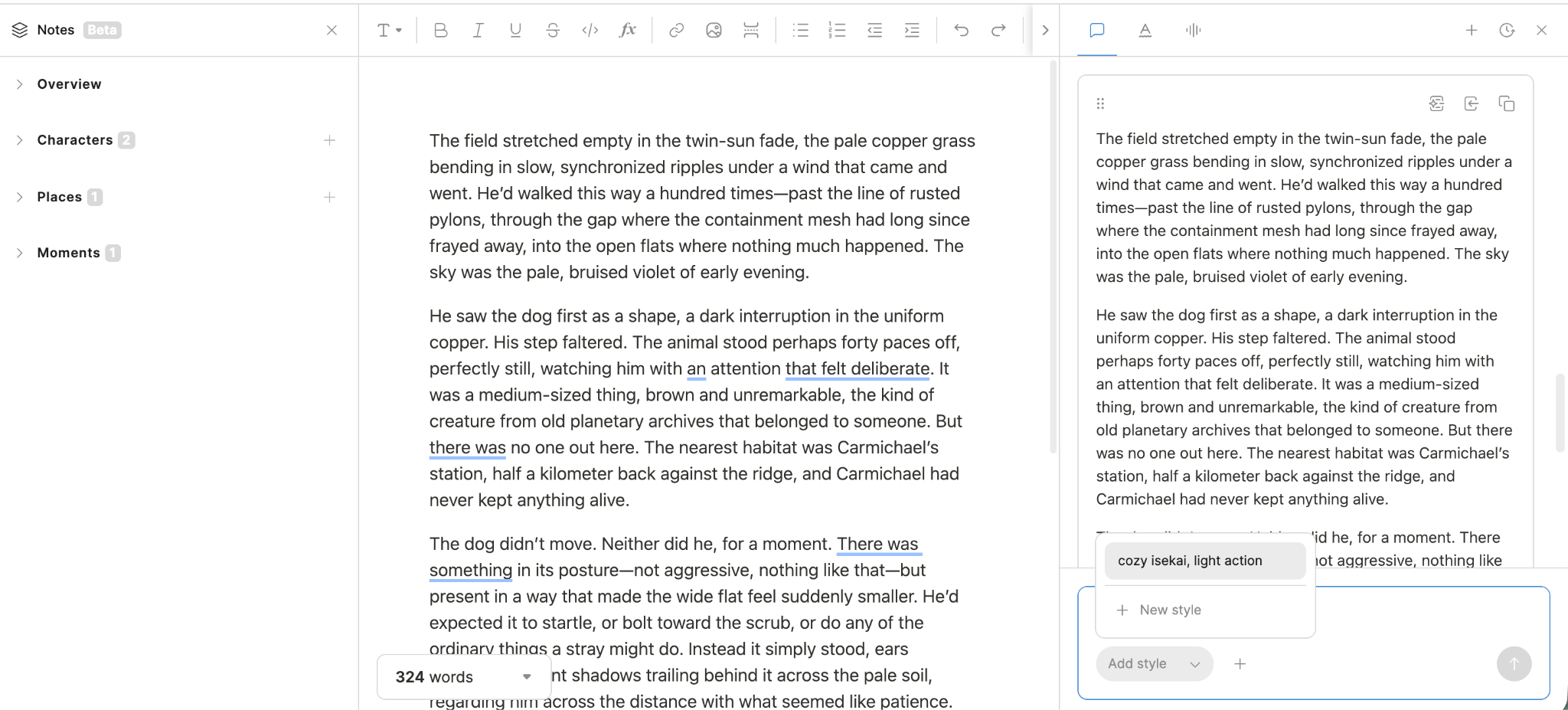
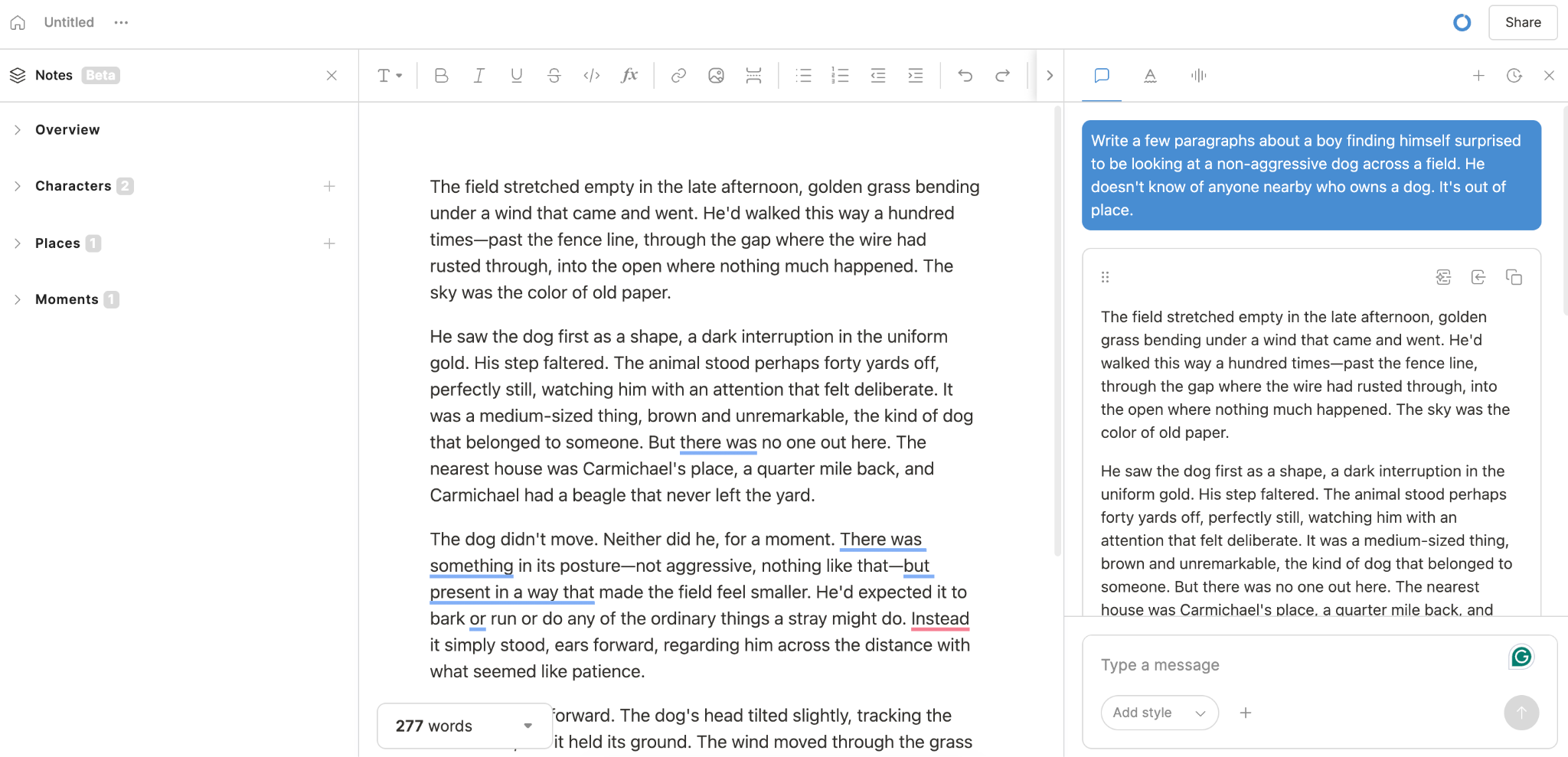
Type.AI dominated our review by succeeding at something very difficult: Keeping laser-like focus on the task of creating and editing any kind of text, even in long-form formats up to 150,000 words.
Some similar tools lose sight of that; during our tests, we got used to struggling to find our way back to the composition window to make edits, or to find our way back to the chat interface to describe some specific edit or change to tone. With Type, that process is seamless and maximally clean-looking.
Generating text is both what you’d expect from the latest-model GPT and Claude capabilities, and more. The style fine-tuning is absolutely top-notch, best-in-class stuff, to the point where we initially gave it a very high rating that was too low, because we simply hadn’t pushed it as far as it could go. After several minutes of making corrections and discussing edits with the chat, we asked it to summarize every preference we had shown into one cohesive set of guidelines.
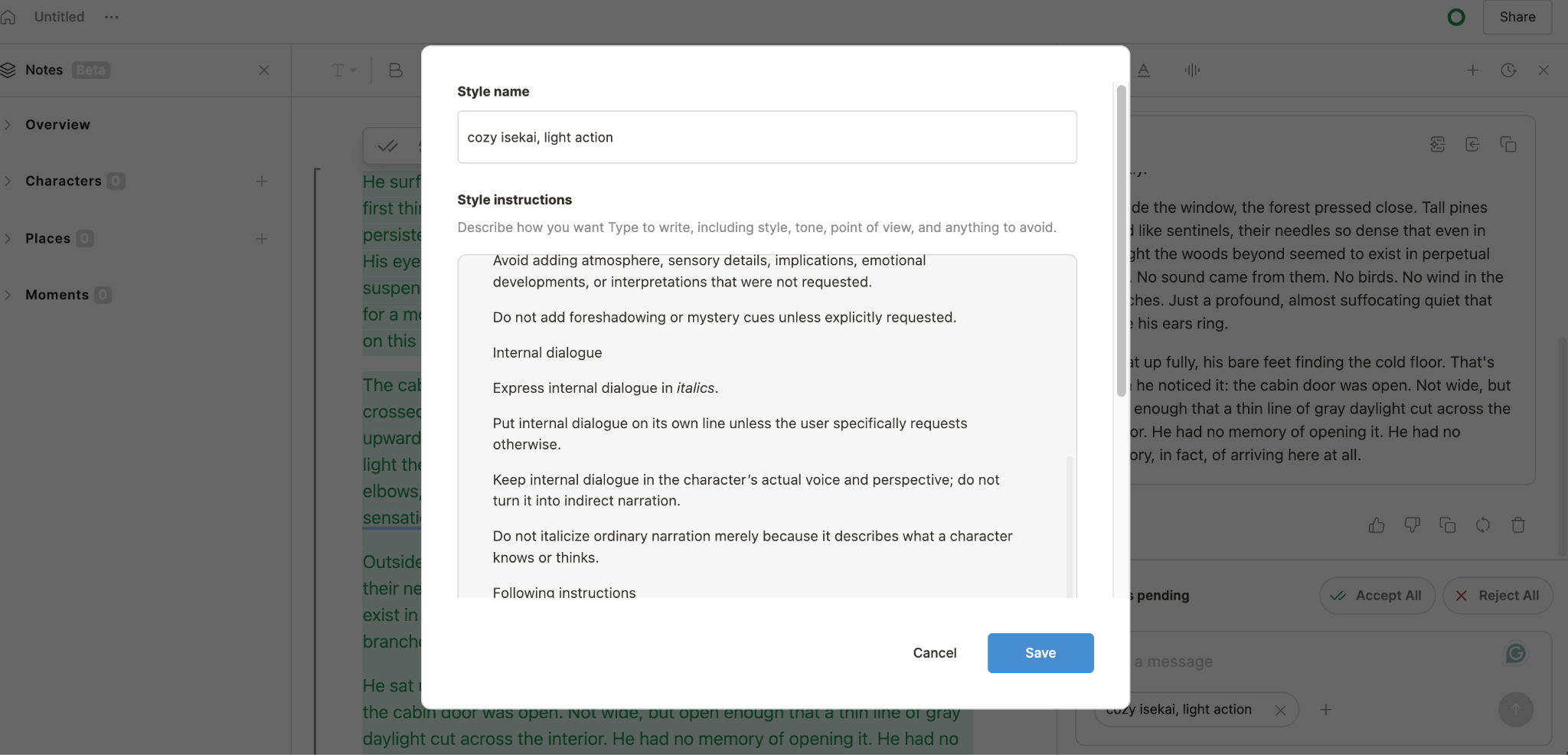
The result was surprisingly good. It learned from what we had been doing to make itself rules it then actually followed. It got even better after feeding it examples of paragraphs we had fine-tuned by hand. It was good out of the box, but every second of style setup was well worth it.
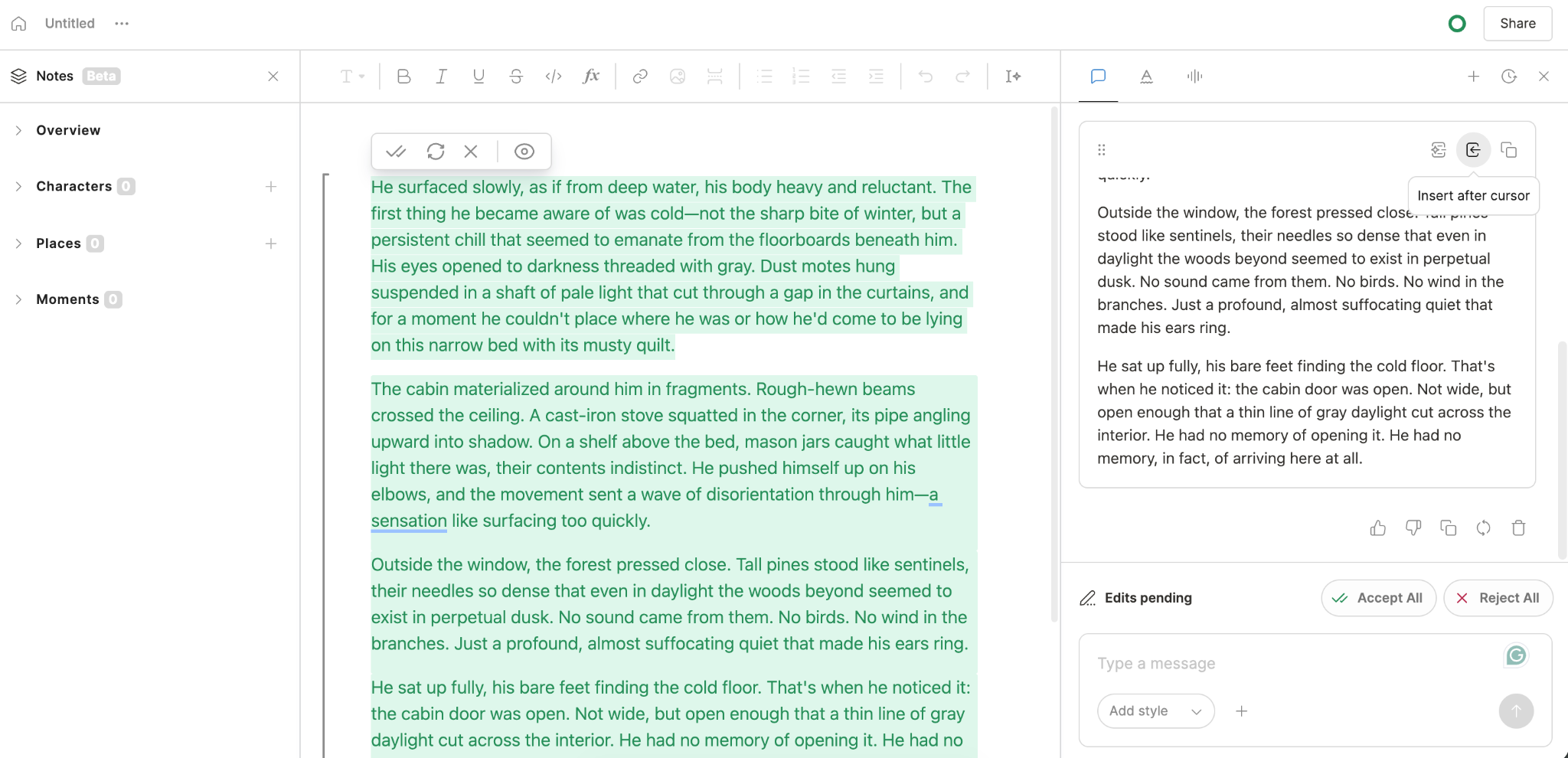
Once you’ve either imported or generated text and have it in the composer, Type.ai shines even brighter. The best version of AI-powered writing is using the agent as a collaborator, not a replacement for the author’s own creativity. Type.ai is obviously designed around that principle. We found ourselves flitting between the already written text and the chat window, highlighting text, either changing it ourselves, asking the chat for suggestions, or using the improve text function to uncover improvements to awkward phrasing.
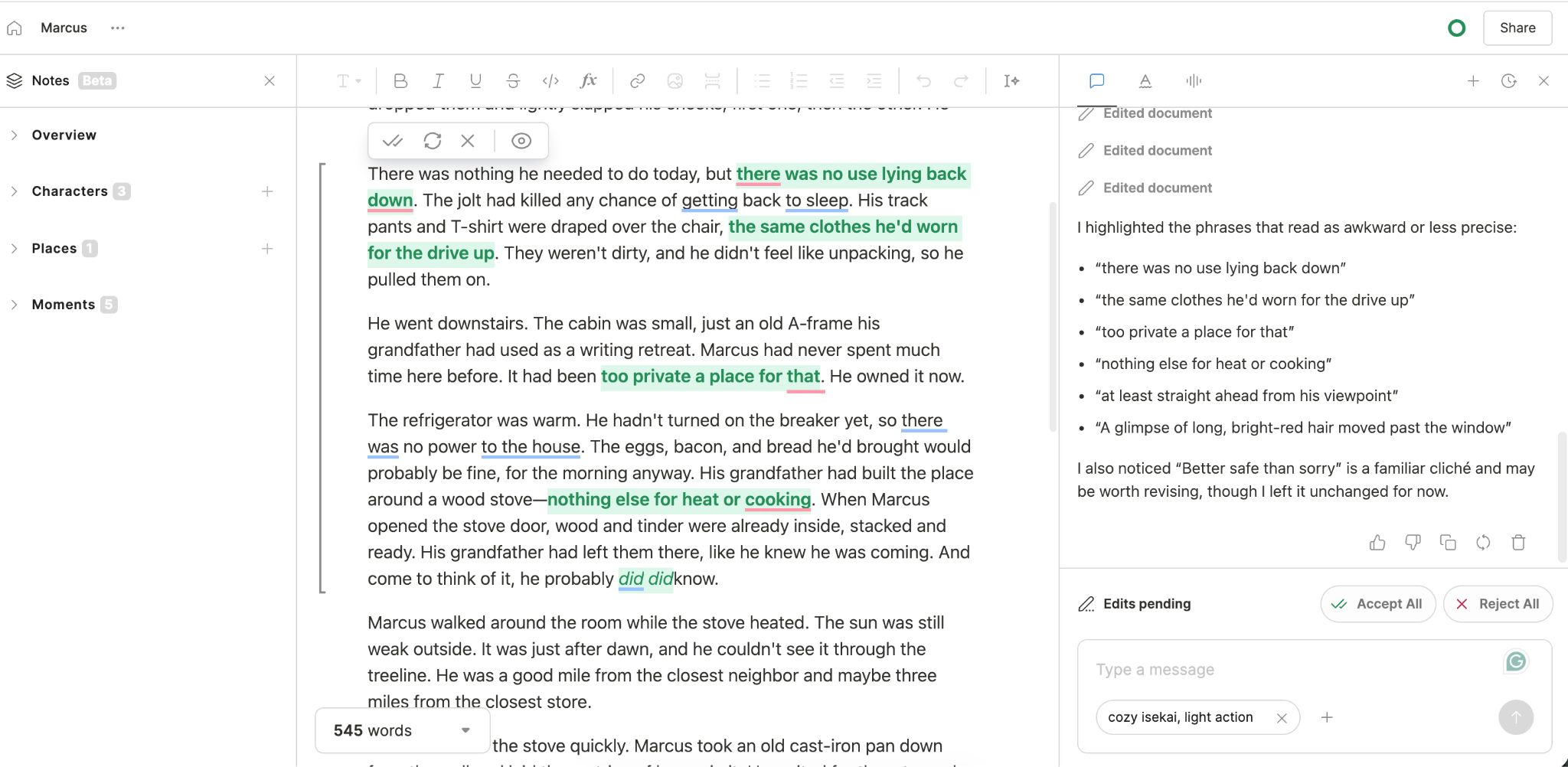
The other features you’d expect from a full writing toolkit are there, including a notes section with auto-updating character profiles, location descriptions, and summaries of moments in each scene. All or portions of a text can be shortened or lengthened via AI assistance.
Somehow, none of this gets in the way of the primary task of writing; we were never once lost in a menu wondering how to get back to our work. Given that Type.ai allows for context sizes well in excess of an average novel length (150,000 words!), it’s the ideal environment to get real work done across the breadth of a project.
Where Sudowrite is still stronger
Sudowrite is a standard choice for AI-assisted writing, and for good reason. It’s a feature-rich, well-realized working environment, adequate or more than adequate to almost every author's needs.
The best example of Sudowrite’s worth lies in its Story Bible functions, which are great if you are the planning, structuring type of writer. We like that they are both intuitive and only as granular as you need them to be; Sudowrite grants you space to plan every chapter and describe every character, then uses that information to drive the generation of your story. Some of this is even automated in a fill-in-the-gaps way; if you give Sudowrite a sample of your writing or a general idea of what a character is, it will generate anything it feels is missing, fleshing out your current ideas with its best guesses at what would make them complete.
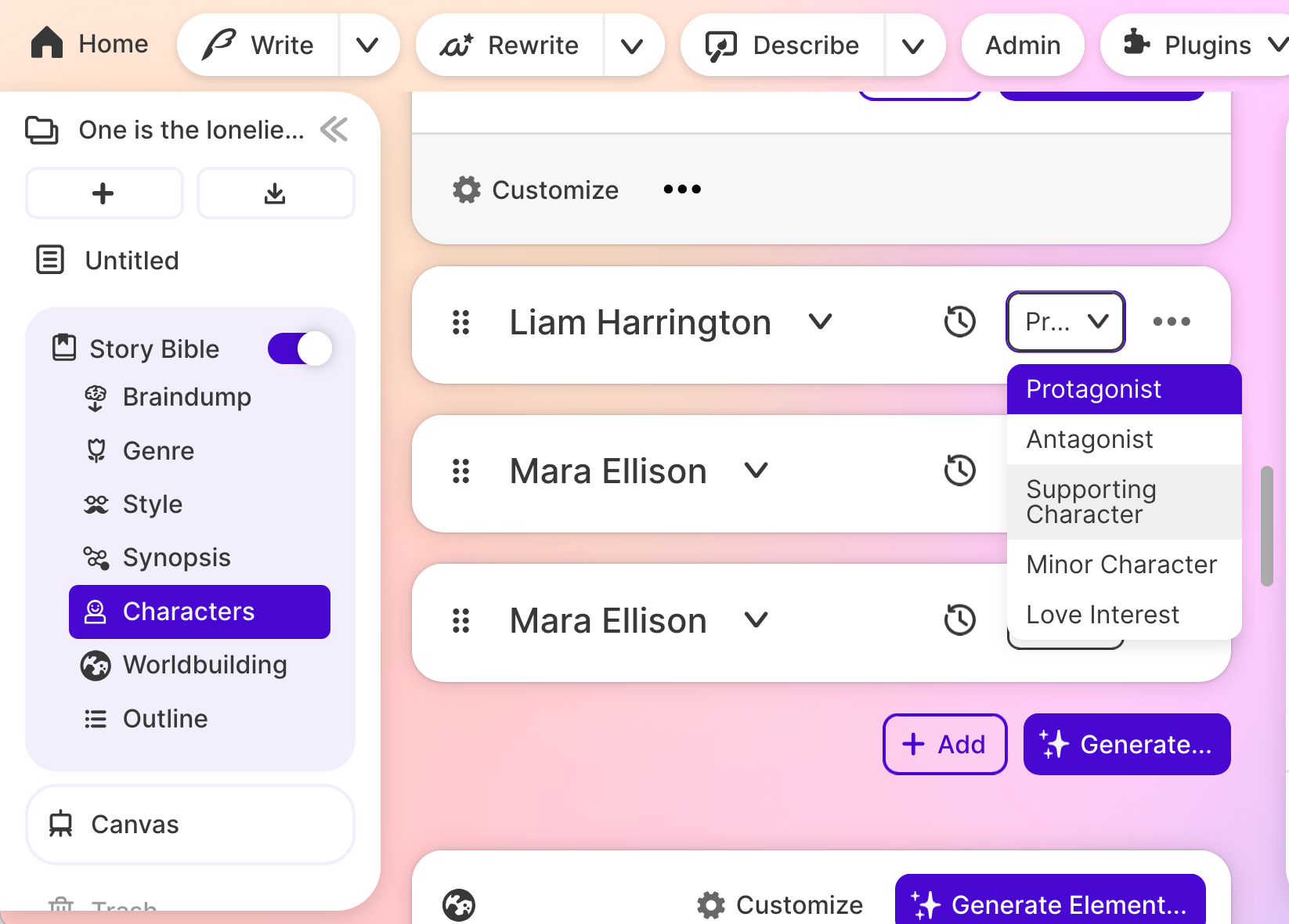
Sudowrite’s Story Bible interface has every tool for developing a novel you could want, and then some. Most of their UI is dominated by these features.
That complexity comes with two distinct downsides. The first is that Sudowrite is a busy platform; it’s seemingly developed with the assumption that all the writing that goes on will be automatic and on the part of the AI model being used. Manually editing or even looking over your story happens in a visually loud environment; people who like exercising creative control on a line-by-line basis will find it a bit more difficult to accomplish.
The second downside has to do with setup. While Type.ai requires little or no setup to get going, Sudowrite requires fairly in-depth setup to get the most out of all its features, something that feels like unnecessary busywork to seat-of-your-pants writers. Sudowrite’s recently released story chat function closes that gap somewhat by leveraging AI to automate the setup somewhat, but the difference is still significant enough to leave the edge in Type.ai’s hands.
Choose Type.ai if…
- You want to work in one app for drafting, editing, and refining
- You need one app that works just as well for non-fiction as fiction
- You prefer a clean, efficient and well-organized interface
- You work with or plan to work with large documents (Type.AI’s 150,000 word limit allows for novel-length works, all in one piece)
Choose Sudowrite if…
- You want a story-bible-centered workflow that focuses on building context for AI generation
- You need built-in fiction models, tools for deep world and character development
- You want a guided iteration and planning process where the AI model contributes to scene planning, character development, and overall direction
Type.ai vs Sudowrite: full comparison
Type.ai is all about the process. In every moment, it keeps the manuscript at the center of things. When you draft, revise, or edit, Type’s interface doesn’t exactly switch modes; everything happens in the same window, seamlessly transitioning from one task to the next. It’s quick, it’s easy, and it works.
Sudowrite is no less capable, but it takes a different approach that focuses more on planning, prep work, and feeding the AI model enough context to do the work by itself. The composition window is much less emphasized, which makes it harder to find and use when you want to write or edit a section by hand. It’s not worse, just optimized for something a lot closer to 100% AI control of the work after the ideas phase.
Pricing is a significant difference here, as well, and bigger than it might at first appear. Type.ai is significantly less expensive at two out of three tiers, and offers a significantly higher token spend at each (Type.ai: $24/1.5 million credits, Sudowrite: $29/1 million credits). At the highest tier, Sudowrite is less expensive in absolute terms but offers a lot less for the money; Type.ai gives close to three times the tokens Sudowrite does at the “Max” level.
Type also includes a true free plan that can be used for light work long-term, as opposed to Sudo’s one-time sample. For users dipping their toes in paid waters after using free tools, Type gives a much longer-term and more usable way to trial their product.
Best Sudowrite alternatives by use case
Type.ai — best for drafting and editing complete books
Verdict: Type.ai’s clean interface, document-first editing environment, and in-context drafting and rewriting make it a clear winner for both fiction and non-fiction.
Type.ai is a writer’s tool, full stop. While every tool on our list has its place, Type’s laser-like focus makes it an outlier. Where some tools focus on AI to the point of taking the author out of the loop, Type.ai keeps the human element front and center, making it easy to actually collaborate with an AI assistant by jumping into the text for edits, redrafting, and refining.
Out of all the tools tested, Type has not only the cleanest and most usable interface, but is truly the only option that seems to understand its users' goals of writing an entire novel in one place. With 150,000 word context limits, it handles even the biggest projects with ease.
Every other feature you’d expect is still in place - frontier-model AI, automatically updating document notes, and AI editing suggestions that truly improve a rough draft to a finished final product. Type.ai is usable in every way that matters, and is the best and most efficient way to integrate AI assistance into your writing.
Limitations: Less specialized fiction-planning infrastructure than some competitors.
Novelcrafter — best for using your own API key and multiple AI models
Verdict: Great for those who want API key control, complex for anyone else
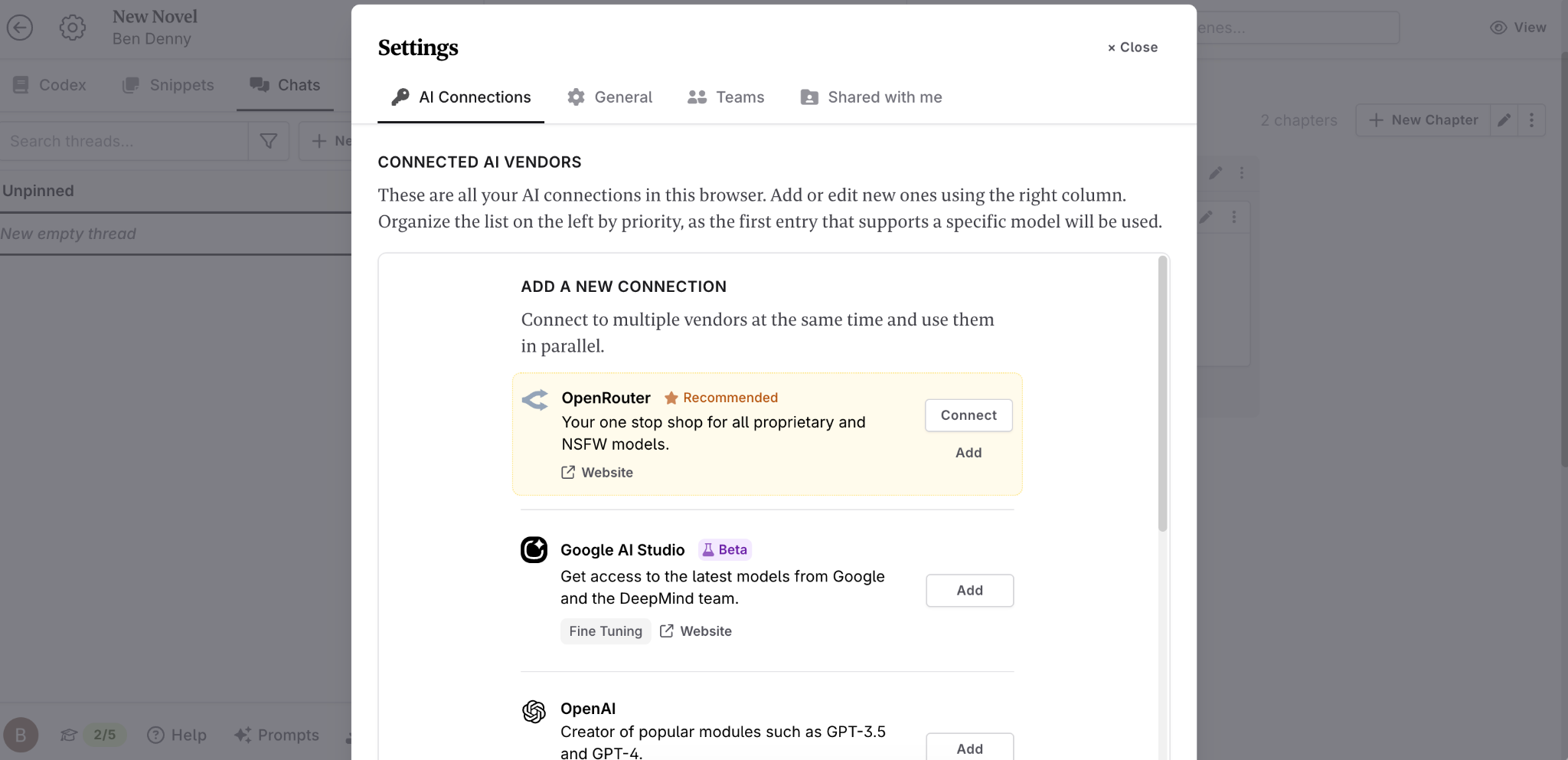
Novelcrafter is built around providing control to very in-depth, technical users. The tool’s primary value lies in allowing you to “bring your own AI”, integrating any AI model whatsoever into your workflow. This comes at whatever token cost your chosen AI model charges; however, splitting your bill into two or more parts you’ll need to track independently.
This “bring your own key” functionality is potentially powerful for very savvy users, but an awful lot of setup and monitoring overhead for any writer who doesn’t specifically need it. It’s also worth noting that Novelcrafter’s most basic tier does not include AI at all, bring-your-own or otherwise - at the $4-a-month level, you are paying for organizational tools and nothing more.
Novelcrafter’s Codex note-taking system works well (as does their planning and scene workflow), but the real value is their focus on model choice. If you need it and can handle the more complex setup involved, Novelcrafter is necessary. If you don’t, there’s nothing in their overall package that justifies it over another choice.
Limitations: Novelcrafter is best suited for a very technical user; for everyone else, it’s a lot of work for little advantage.
NovelAI — best for lore-heavy fiction and worldbuilding
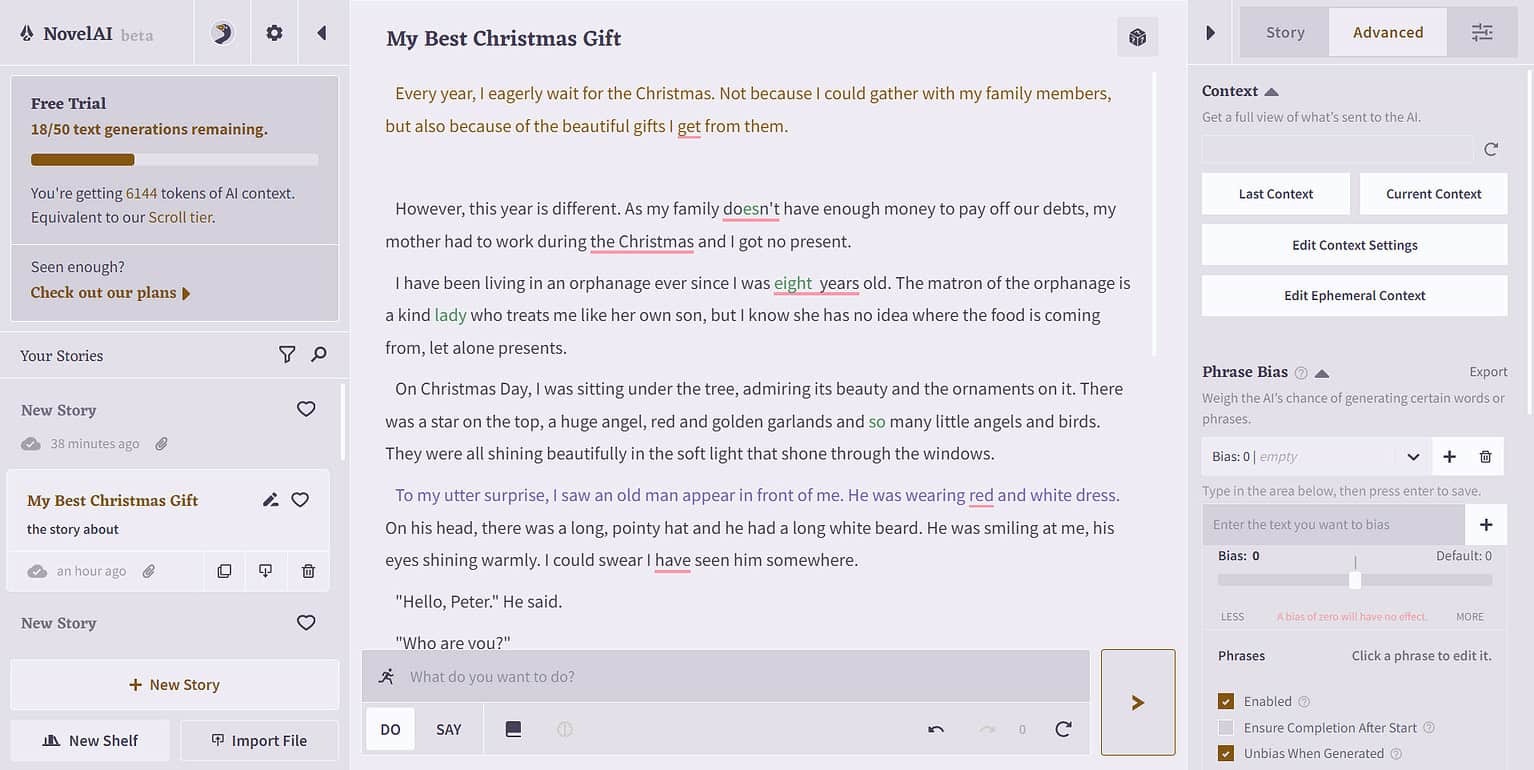
Verdict: Fun for playing with ideas and initial worldbuilding, but underpowered for serious writing.
Some toys can be used as tools, and some tools can be used as toys. NovelAI tries to split the difference, giving writers access to tools meant to allow them to enjoy their own imaginary spaces. Using NovelAI’s custom, in-house models, you can generate images of your characters, experience your world as a choose-your-own-adventure, or keep very close track of all the granular elements that make up the world via their Lorebook context-building feature.
It’s fun, but the experience falters when doing the serious work of writing. The in-house models offer unlimited text, but are weak compared to frontier-model performance. The structural elements of their interface meant to help with editing and refining are few and far between, and difficult to use where they do exist.
Limitations: NovelAI works better as a brainstorming toy than a writing tool.
NovelAI’s pitch is to writers creating lore-heavy worlds, filled with complex, hard-to-track worldbuilding of the type that’s often hard to keep track of. For those authors, NovelAI offers a tool that excels at keeping track of each and every grain of their fictional realm.
AutoCrit — best for genre-aware manuscript analysis
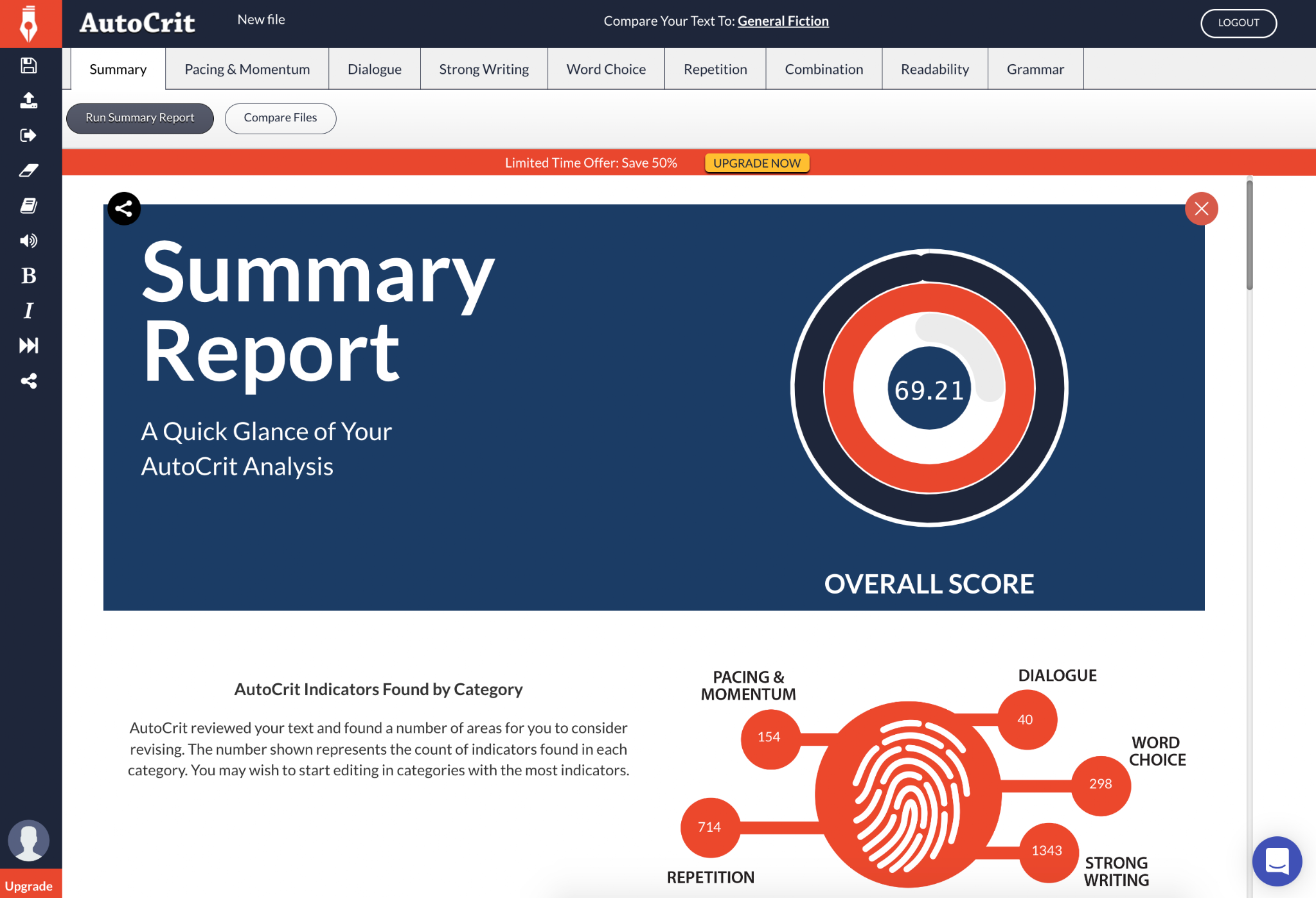
Verdict: Good, but limited to genre-savvy critique of existing documents
AutoCrit is not so much a writing tool as a benchmarking process. It takes your completed work, compares it against other works of the same genre, then lets you know where it stands on a number of different metrics. If you want to know how your pacing, dialogue, adjective use and other elements of your story match up against every fantasy novel ever written, AutoCrit is a great tool.
That said, it’s one of the more specific tools on this list. It’s best used for editing, and not something you’d use for creating a first draft of your new project. If you want an insight tool that gathers mechanical information about how you write, it’s great. It in no way replaces other tools on this list for drafting, editing, and refining your writing.
Limitations: AutoCrit is an automated critical analysis tool for helping you assess your own work, and not a dedicated drafting or editing tool.
ProWritingAid — best for detailed style reports and line editing
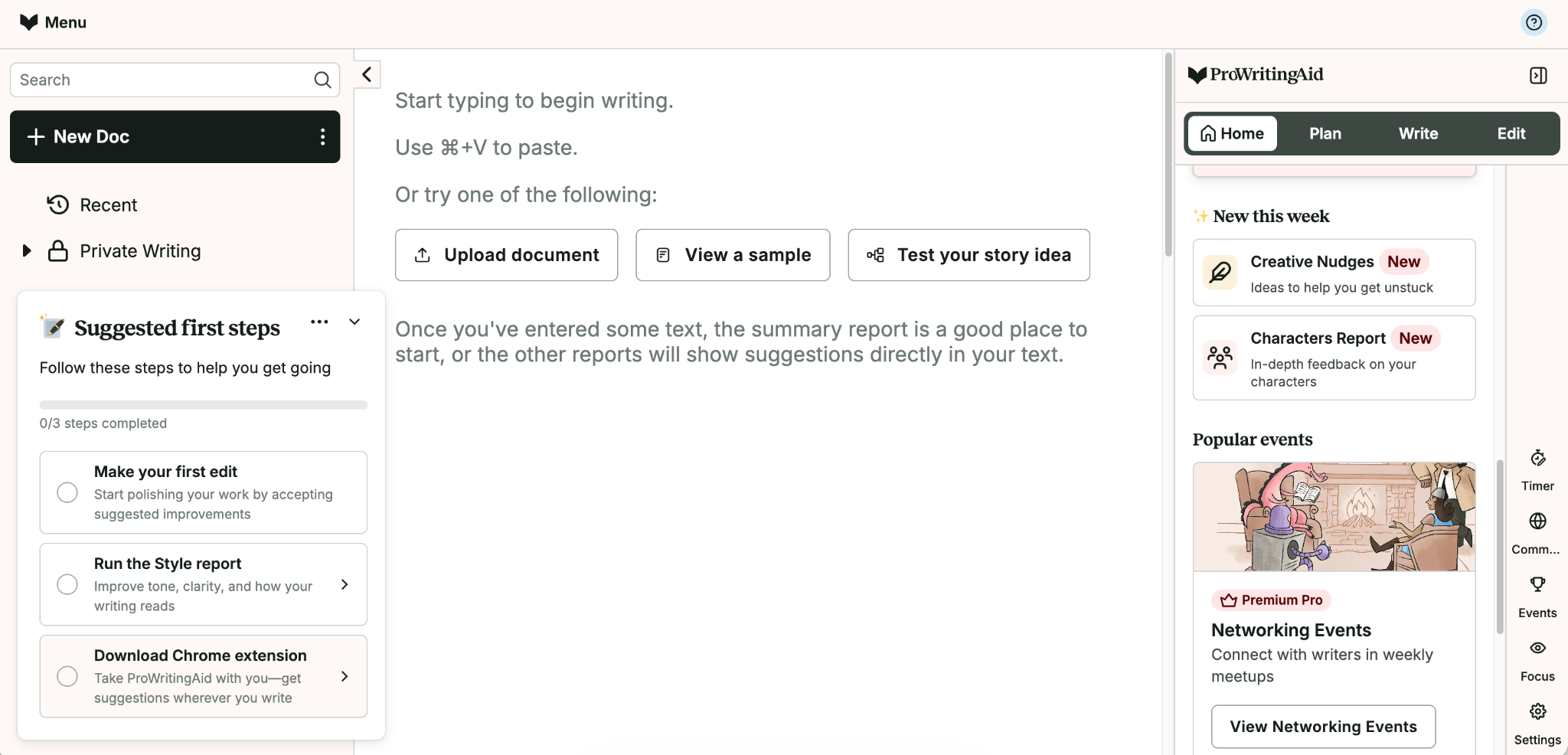
Verdict: Great for grammar and style analysis, but not a full writing assistive tool.
Like AutoCrit, ProWritingAid is more a review tool than a full drafting partner. It analyzes pacing, overused words, dialogue tags, and so on while looking for fixable instances of things like passive voice. Where AutoCrit is more about genre-specific analysis, ProWritingAid has a heavier focus on grammar and style.
This isn’t to say both are interchangeable. ProWritingAid has a clear edge in terms of integration: it can run in Google Docs, Word, and Scrivener as well as a browser extension that works well with various web-based apps that it isn’t specifically built for.
Limitations: As a grammar, style, and benchmarking analysis tool, ProWritingAid is not built for heavy-duty creation.
Claude — best general AI assistant for nuanced feedback
Verdict: One of two powerful frontier-model chatbots. Great for certain things, but without the specific tooling writers need.
Creating your work inside a chatbot interface is always an option, and not a bad one. Within one interface, you get access to a full frontier model as well as faster or cheaper-to-use versions of the same. It does generally take some copy-paste effort to make it work (Claude is good at making blocks of text, but bad at organizing them compared to other tools in the list), but it’s a viable, powerful tool for many tasks an author faces.
Claude shines in nuanced non-generation tasks as well. It’s great at feedback and a powerful brainstorming partner when it comes to questions regarding character voice, scene critique, and overall story development. Best of all, it’s free up to a certain point; for lightweight work, using Claude may well end up not costing you a dime.
There’s a reason Claude models power most top-end tools on this list (Type.ai and Sudowrite, for example). It’s very good. Giving Claude instructions results in it returning magical building blocks of text that can then be assembled into longer-form pieces. The limitation lies in that same capability; the blocks themselves are often perfectly usable, but Claude doesn’t come with any built-in tooling meant to help you put them together, edit them, and refine them into a full-length work.
Given that both Type.ai and Sudowrite use these same models as powerplants, most people will find it much easier to create with one of those two tools, getting the best of both frontier-model power and specifically designed writing environments.
Limitations: As a general tool, Claude lacks many organization and specialized fiction tools most writers want.
ChatGPT — best for brainstorming and story development
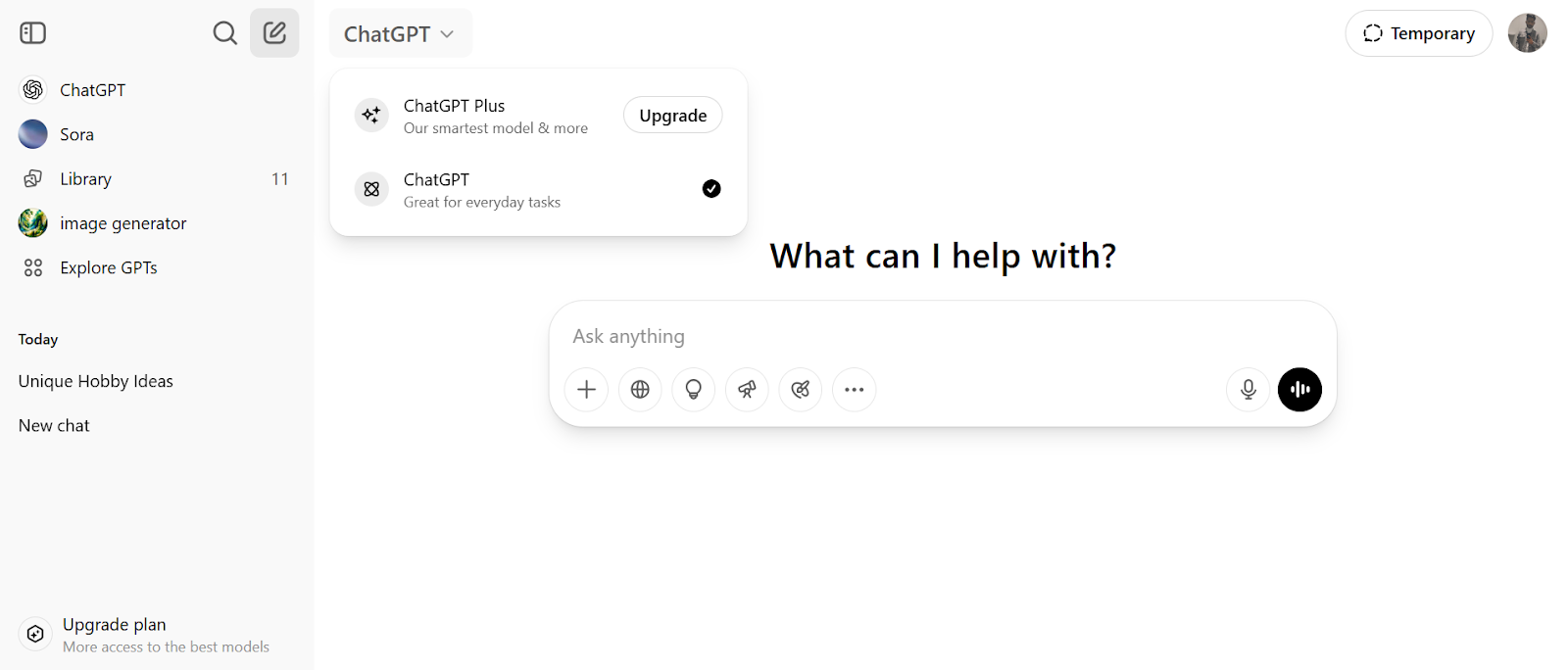
Verdict: One of two powerful frontier-model chatbots. Good for most things, but not specialized to the task of writing.
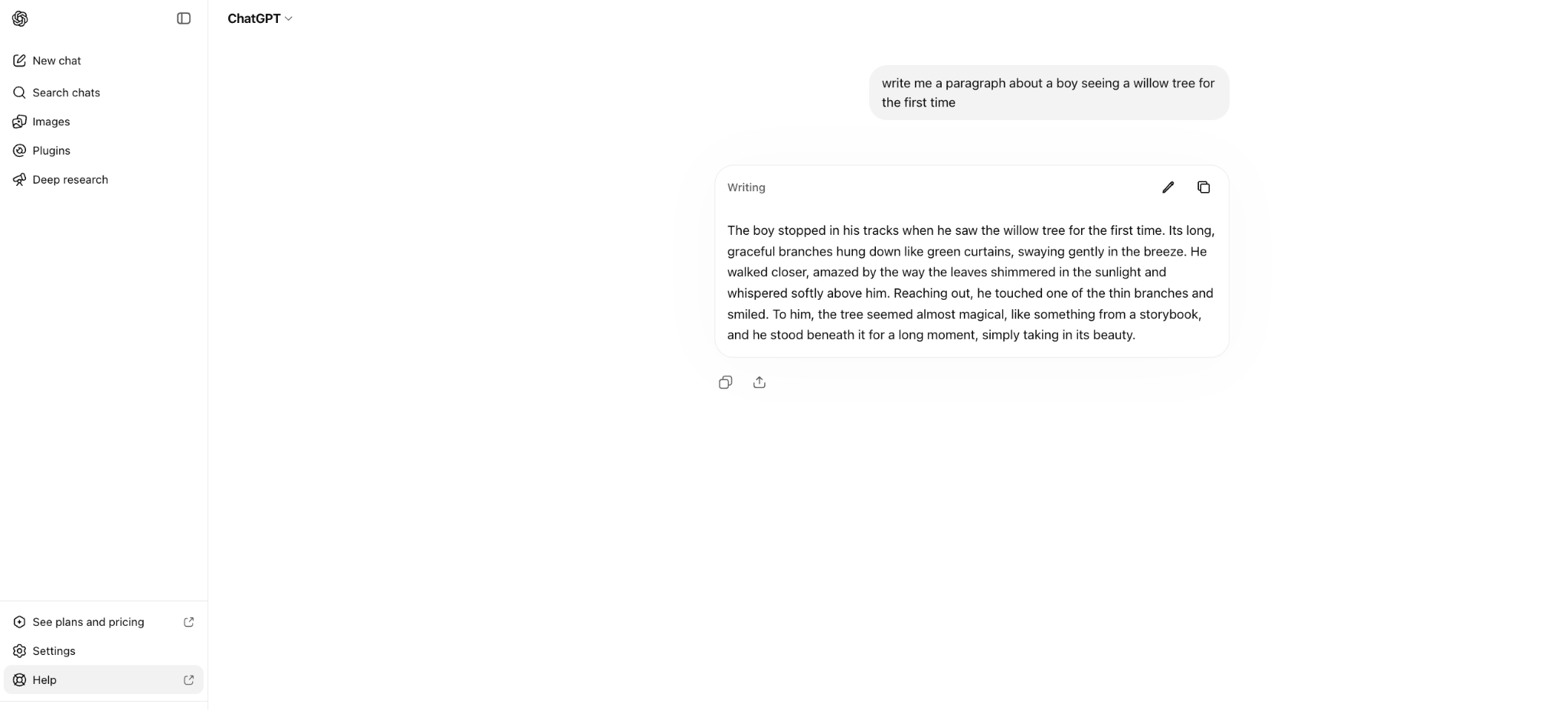
ChatGPT is much like a differently-flavored Claude in a different flavor. It’s good at idea generation and outlining, can help you with character development, can brainstorm stories and scenes, and can review your work for trouble spots. Like Claude, it’s an immensely powerful tool yet offers lighter-weight model variations for less heavy-duty work. Like Claude, it offers free plans that might cover your needs so long as they are light, quick, and not too token-hungry.
Its limits are similar, too; ChatGPT is not built out with a writer’s needs in mind. For serious writing work, using Type.ai or another tool that integrates frontier-model assistance is more appropriately helpful.
Limitations: As a chatbot interface, ChatGPT lacks organizational tools and other specialized features most writers want.
Why writers look for a Sudowrite alternative
It’s fair to wonder why writers look for a Sudowrite alternative at all - after all, Sudo is a big name in the field for a reason. It’s very good at what it does, especially when it comes to the early-stage structuring of a novel or story. It has great brainstorming tools, good note-taking and context-building capabilities, and specialized in-house writing models.
When it comes to taking all those parts and combining them into a high-end AI-generated first-draft, hardly anyone can compete. Even Type.ai, our winner, falls behind on some of those metrics.
Where Sudowrite is limited, it often has to do with interface, simplicity, and your desire to be part of your own work. A glance at Sudowrite’s interface will tell you why.
You want a cleaner manuscript workflow
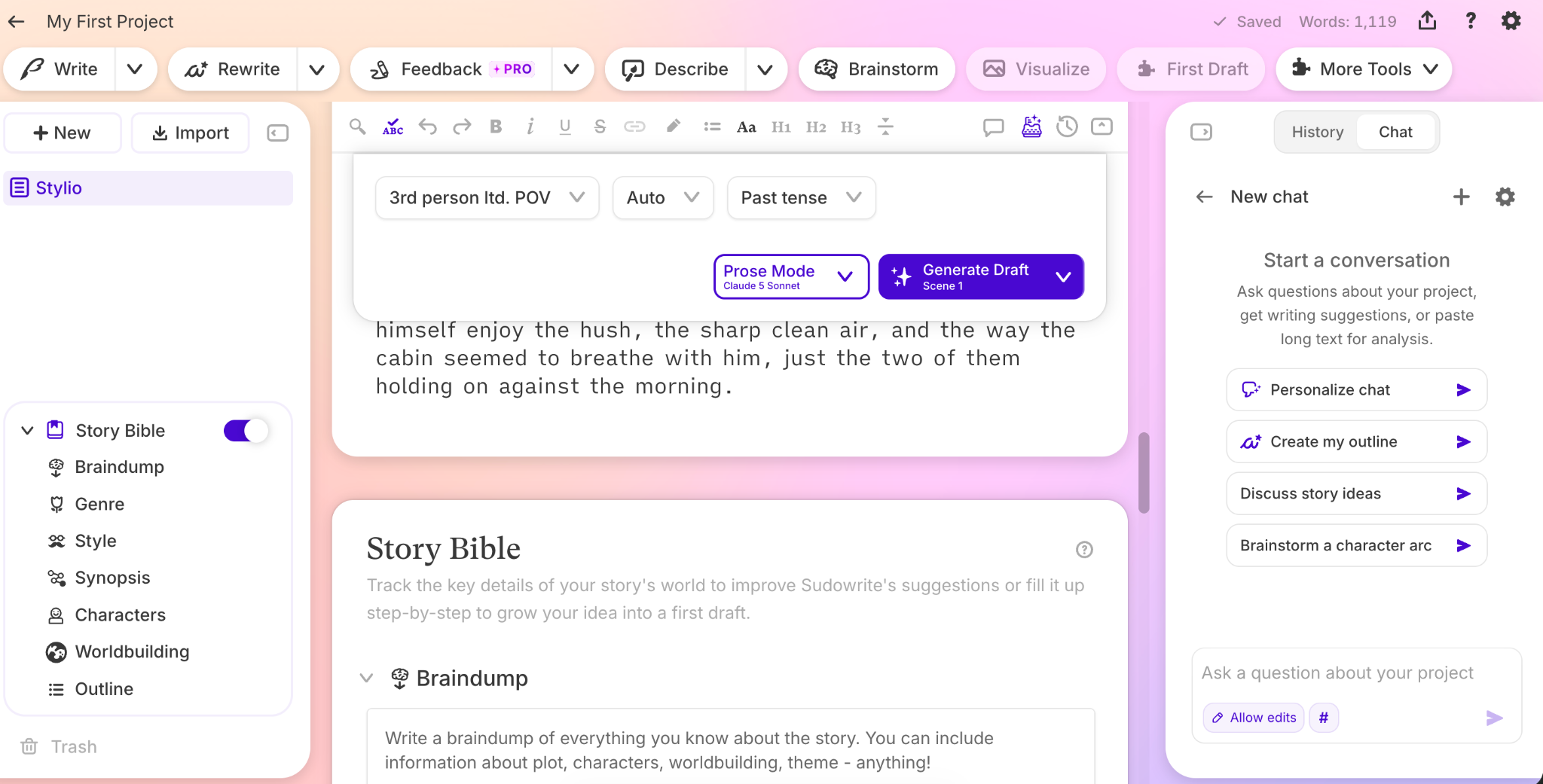
In the last screenshot, only the tiny bit of text peeking out in the center of the screen has anything to do with you editing your own work. It’s possible to collapse many of these windows, but sometimes difficult to figure out how. The reasoning behind why, if we had to guess, is that Sudowrite is a generation tool first and foremost; it focuses on getting AI to do as much as possible. When improving text is the goal, all of Sudowrite’s user interface choices push users towards using more tokens.
As a result, it’s almost easier to sit back and let the AI do all the work. To the extent you wanted to be involved in your own writing process and as much as you might have had to contribute that a language model can’t, the work suffers.
You need more predictable pricing or usage
For those trying to control their token spend and keep their pricing predictable, Sudowrite can be a challenge. Their AI-generation-first stance on writing means that it’s much easier to reach for an automated, token-spending solution rather than your own talent and preferences.
Every tier of Sudowrite’s product has the same features, so how fast you burn through tokens can absolutely mean the difference between a $19 hobby tier and a $59-a-month max account. For the price-conscious, it can make more sense to switch to a tool that focuses more on writer involvement to keep from hitting the end of your financial leash as soon.
You want to use your own API key or local model
For very technically inclined writers (or just writers with very strong, unconventional preferences as to what model they use), it can make sense to choose a tool that lets you plug in any AI-generation powerplant you want. That can mean cheaper models, more specialized models, or even an AI running locally on your own laptop.
This is certainly a specialized need, the kind of you-know-if-you-want-it situation that simply doesn’t apply to most writers. But for those that do, Sudowrite falls short. If you fall into this category, your best bet is Novelcrafter, the only outside API key supportive tool at the time of this article’s publication.
You write more than fiction
Sudowrite is a heavily tailored product, and built entirely with fiction in mind. If it has a busy, complex interface, that complexity is usually justified by the fact that almost every tool is useful in some way to some writer of fiction.
When you write non-fiction, that balance disappears. Type.ai allows for a document-focused experience that works as well on non-fiction as it does on fiction. Sudowrite doesn’t, and outside of its hyper-specialized fiction focus, you may begin to feel that limitation in your writing process.
You need editing more than idea generation
Sudowrite’s process starts with a brainstorming session, filling fields within their interface with every idea and thought about your work you can. It then moves to several other tools meant to help you plan, build, and structure your novel before generating it, scene by scene and line by line.
For some, that level of automation is perfect. But many writers come to the table looking not for a tool to generate their story, but a helper to assist them in editing it to perfection. Sudowrite is not bad at editing, but it’s distinctly harder to edit and iterate a piece within Sudowrite than a document-first format built for detailed line editing and proofreading.
Which tool fits your author profile?
Debut novelist — reduce cognitive overhead first. Recommendation: Type.ai.
Series author — planning depth vs drafting speed. Recommendation: Type.ai gains the edge for pure efficiency; Sudowrite maintains an edge for planning-heavy workflows.
Nonfiction author — clarity and argument flow win. Recommendation: Type.ai.
Hybrid writer — one app for books plus everyday writing. Recommendation: Type.ai.
Final verdict: which Sudowrite alternative should you choose?
There’s a throughline here we stand behind: Every one of these tools is good for certain writers and certain needs.
Type.ai continues to be the choice for serious writers, primarily because of its focus on interface. It supports serious drafting just as well as it does revision/editing, and vice versa. It lets a writer work on a full-length manuscript just as it will be published: as a single scannable document. It keeps you close to the text and AI-powered refining tools, letting you stay as hands-on as you want to be.
Every other tool has its place, from Sudowrite’s excellent structuring to Novelcrafter’s API key flexibility, and each represents an excellent product just waiting for the use case that demands it.
Frequently asked questions
1. What is the best Sudowrite alternative?
Type AI provides the best alternative to Sudowrite, especially for serious writers shooting for fast, efficient workflows.
2. Is Type.ai better than Sudowrite for writing novels?
It depends. Type.ai is a clear winner when it comes to interface; it’s easier, faster, and more hands-on. Sudowrite is better when it comes to building a Story Bible, making notes, and accumulating context on a story before generation.
3. What makes Type.ai easier to use?
Type.ai uses a document-first design meant to keep your work in focus at all times. Drafting, editing, refining, and reiteration all happen in the same window, naturally, as you work. All the AI tools you’d expect are there, always available but never in the way until you need them.
4. Does Sudowrite have features Type.ai does not?
Sudowrite has a generally deeper set of tools related to planning a novel that it refers to as its Story Bible. These features are all good for writers who focus heavily on AI assistance in their story planning. Type.ai has much of the same functionality, but not to the same level of depth.
5. Which tool is better for nonfiction books?
Type.ai is clearly better for nonfiction. Almost all of Sudowrite’s novel-planning tools are merely in the way in a non-fiction author’s workflow. Type.ai’s cleaner, more focused interface is significantly better for any application that doesn’t require extensive, specific novel-planning tools.
6. How do Type.ai and Sudowrite prices compare?
Type.ai is less expensive at every tier besides the “max” tiers, and is always less expensive per token at any tier.
7. Is there a free Sudowrite alternative?
For light work, Type.ai, Claude.ai, and chatgpt.com all offer free tiers that might be sufficient. For substantial generation and editing beyond those free-tier limits, no AI tool exists that covers the same bases for free.
8. Which Sudowrite alternative lets me use my own API key?
Novelcrafter does - at the time of this article’s publication, it’s the only product available that allows bring-your-own-key functionality.
9. Can I use a local LLM instead of Sudowrite?
You can, either by running a local LLM and using it “raw” or through Novelcrafter.
10. Which tool is best for Story Bible and worldbuilding?
Sudowrite is still the established leader in that aspect - its Story Bible and worldbuilding tools are unmatched.
11. Which AI writing tool is best for editing a completed manuscript?
Type.ai allows you to store an entire manuscript of up to 150,000 words. Combined with its document-first interface, it’s the hands-down winner for completed works. For assessing completed works before editing, both ProWritingAid and AutoCrit are good choices.
12. Can I use Type.ai and Sudowrite together?
You can, and many writers do. Both platforms have their own strengths, and combining them allows for fantastic results. Note that the two platforms do not integrate automatically; most authors move work from one to the other for different phases of a project.
13. Is Sudowrite only for fiction writers?
Sudowrite’s strong focus is on fiction. It can be used for non-fiction, but it isn’t designed for it; tools that are very useful for a fiction writer’s work are somewhat in the way during a non-fiction project.
14. Can Type.ai handle a full novel?
It can. Type.ai can handle documents up to 150,000 words, well over an average novel’s word count.