
Type.ai vs Sudowrite: The real difference - where the manuscript lives
Trying to compare the tools in a black-and-white, feature-by-feature way only goes so far. In the case of Type.ai and Sudowrite, this kind of comparison comes out as a near-tie, since both have story-planning tools, AI generation and editing capabilities, and several other features that more or less overlap.
The actual experience of using either tool varies quite a bit more. For instance, Sudowrite’s model encourages you to start with its Story Bible and worldbuilding tools. It’s not absolutely required, but the flow assumes you’ll begin by brainstorming characters, aspects of the world you’re creating, scenes, overall novel structure, and so on.
It does this because Sudowrite’s model is about informing the AI, then generating rather than writing the novel. This isn’t absolutely true, since you can still edit a novel within Sudowrite, and many people do. But the experience of using Sudowrite’s interface is one of providing information to an AI, expecting it to act as the primary author of the piece (at least when compared to Type.ai).
Type.ai is different. It’s created under the assumption that the genesis of the piece comes from the author, and that the human writer is the driving force behind the work. The AI tools are there to help, but not to take over.
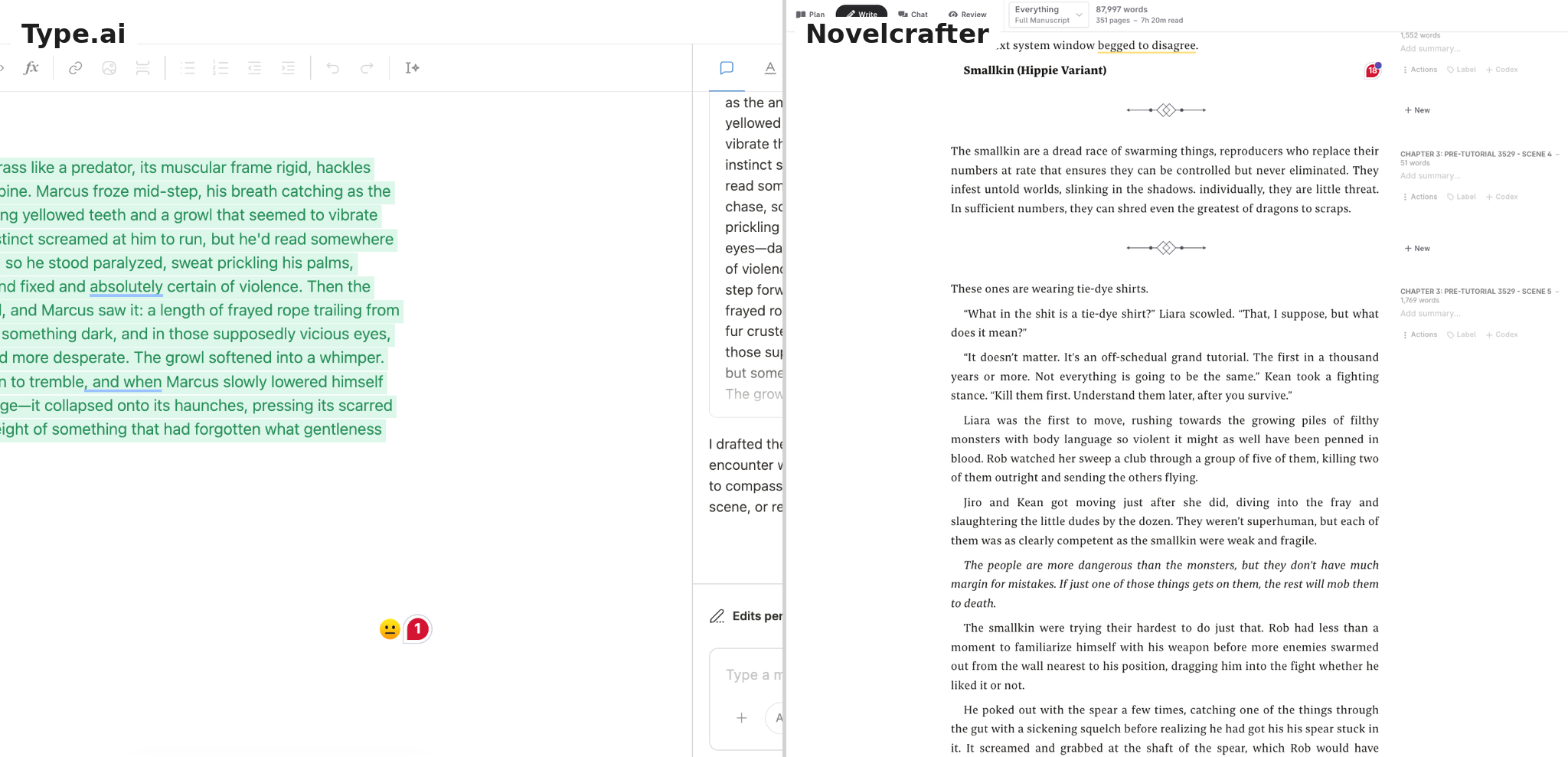
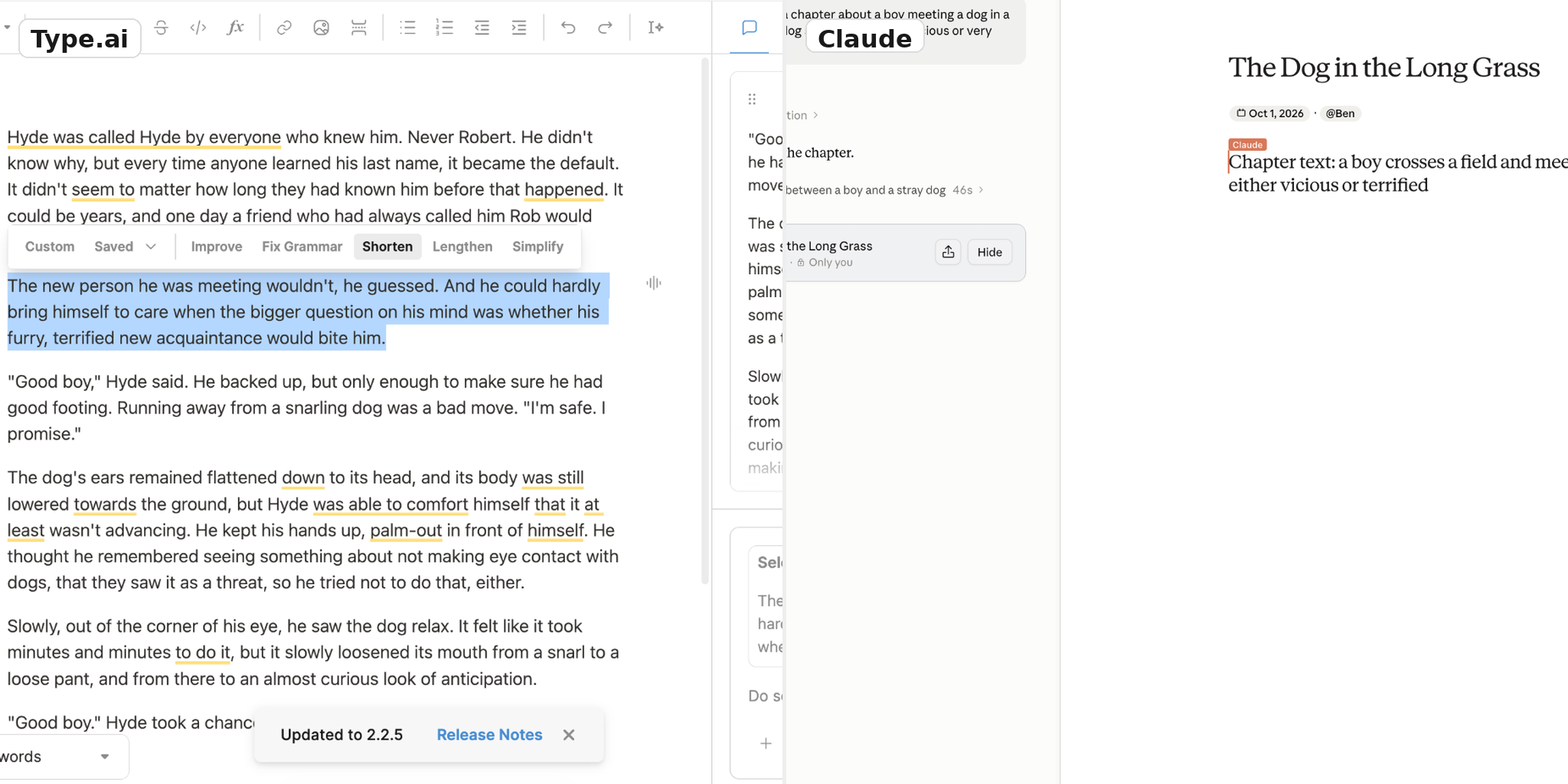
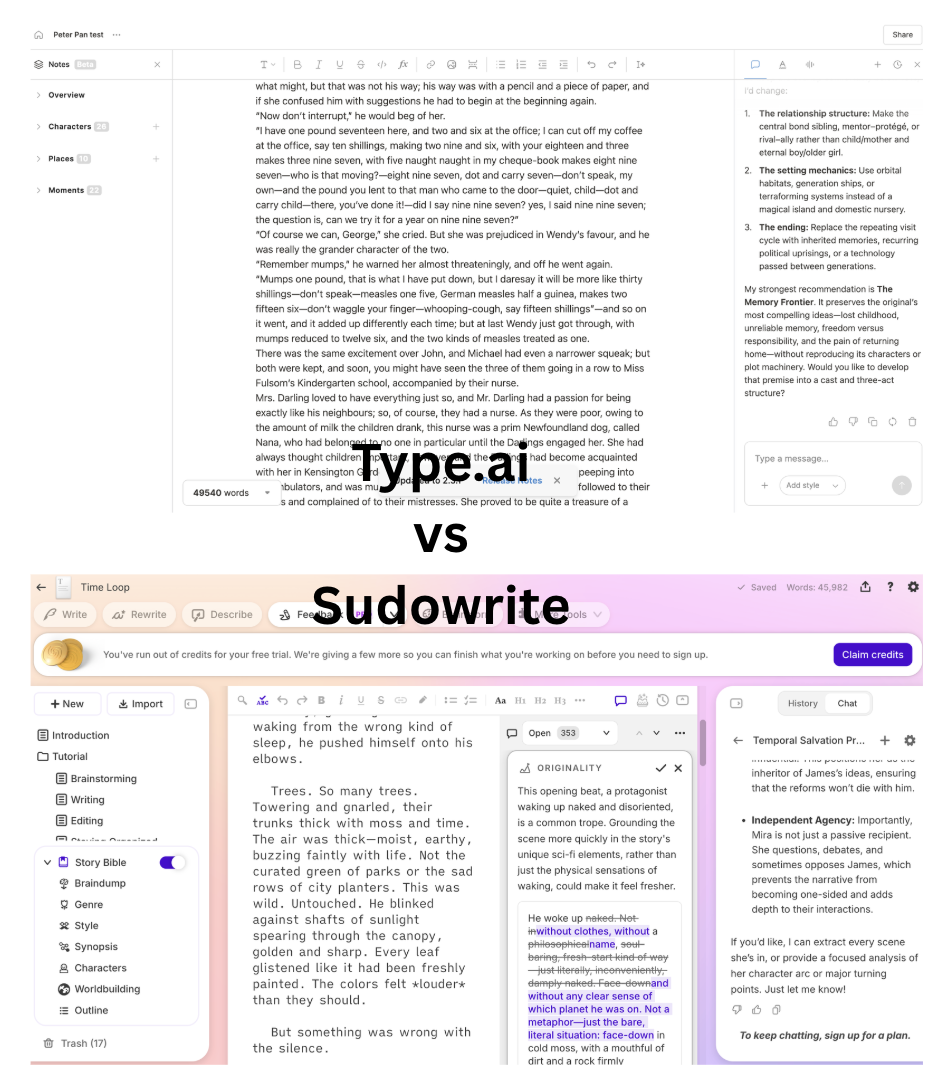
To facilitate this, Type.ai’s interface focuses on the document you’re creating. The words you’re working on are always centered in your field of view. When you use one of the AI tools, they interact with the text in front of you, proposing new text to add or edits in line with the work you’ve already done. You accept or reject changes while seeing what they’ll look like, and can even edit the changes before they’re finalized.
The differences add up to pretty significant consequences in how the process feels. Sudowrite does a great job helping you worldbuild, but focuses more on AI generation than on human participation in the creation process.
Let’s be clear: if your big bottleneck really is planning and continuity, an architecture that puts those steps upstream of text creation may be the right choice. Many writers work this way, and Sudowrite is a great choice for them. If you need a low-friction process to get from a formed idea to a finished manuscript, and want AI changes proposed in the text rather than upstream of it during generation, Type.ai may be the better option. For fiction and nonfiction authors who want those features and prefer a lower entry price, Type.ai makes sense.
Side-by-side comparison
Type.ai is all about the process. It keeps the manuscript at the center. When you draft, revise, or edit, Type’s interface doesn’t exactly switch modes; everything happens in the same window, transitioning from one task to the next. It’s quick, it’s easy, and it works.
Sudowrite is no less capable, but it takes a different approach that focuses more on planning, prep work, and giving the AI model context. The composition window is less emphasized, which may make it harder to find and use when you want to write or edit a section by hand. It’s not worse, just optimized for a more planning- and generation-led workflow.
Pricing is a significant difference, too. Type.ai is less expensive at two of the three tiers. At the highest tier, Sudowrite is less expensive in absolute terms. Type.ai includes more listed credits at each tier, but credits are not necessarily equivalent across products, so that alone does not establish better value. Type.ai also offers a free plan so aspiring writers can get started without any commitment, while Sudowrite offers a free trial.
Hands-on tests
Long-manuscript upload and context
We uploaded a document of approximately 100,000 words into both tools. It was a manuscript that neither tool had likely seen before. From there, we assessed ease of upload, how the worldbuilding tools interacted with the new document, and whether each tool could understand the uploaded content. We tried the samples from the Gutenberg project.
Both tools performed well, but there were significant differences in large-document handling, where Type.ai mostly came out on top.
Type.ai: upload and context
Type.ai uploaded the entire document and kept the original formatting. The process took under a minute.
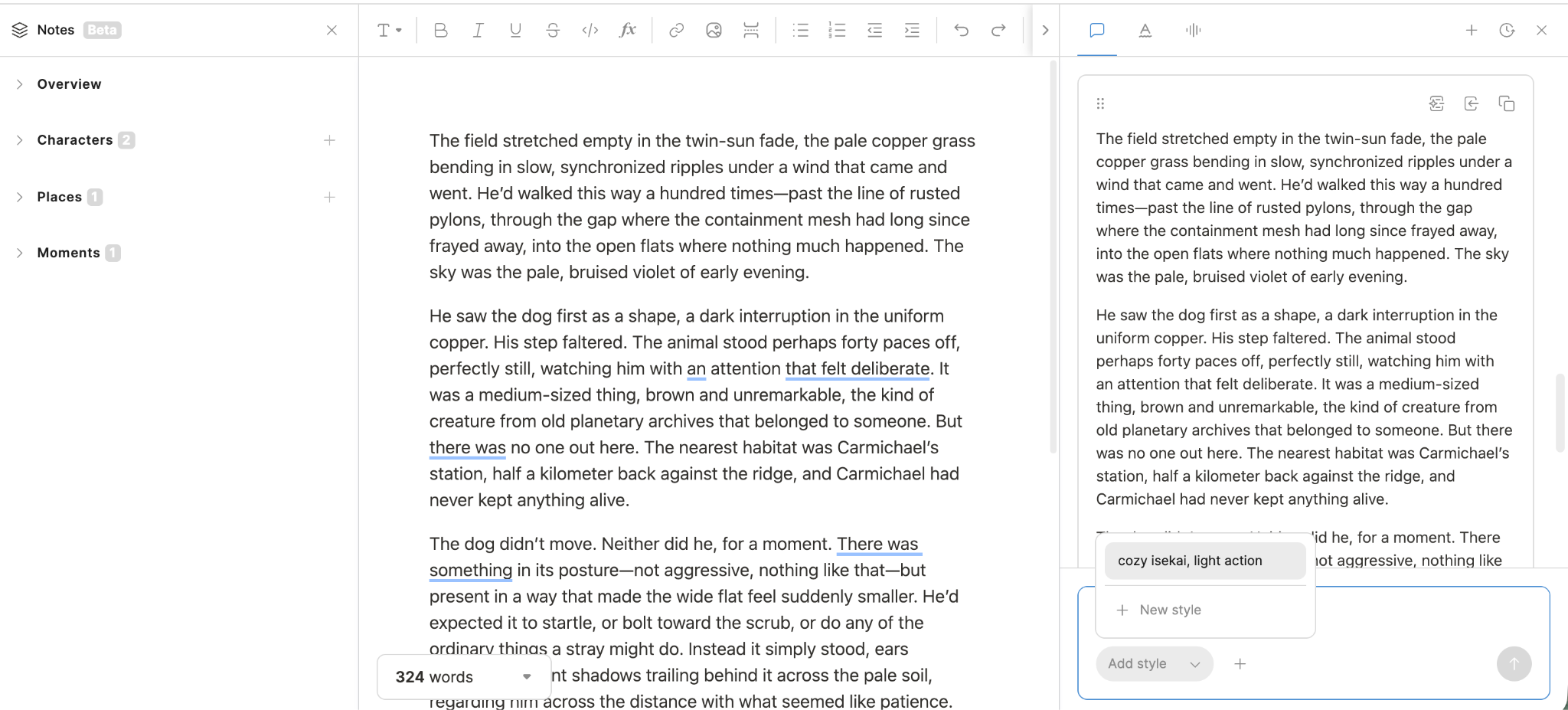
About a minute after upload, Type.ai automatically updated its Notes worldbuilding tool, creating a summary of the characters, settings, and scenes.

We then asked the Chat assistant a question about context from near the beginning of the novel. It found the relevant details accurately. In this test, Type.ai appeared to take in the existing manuscript and make its context available for follow-up work.
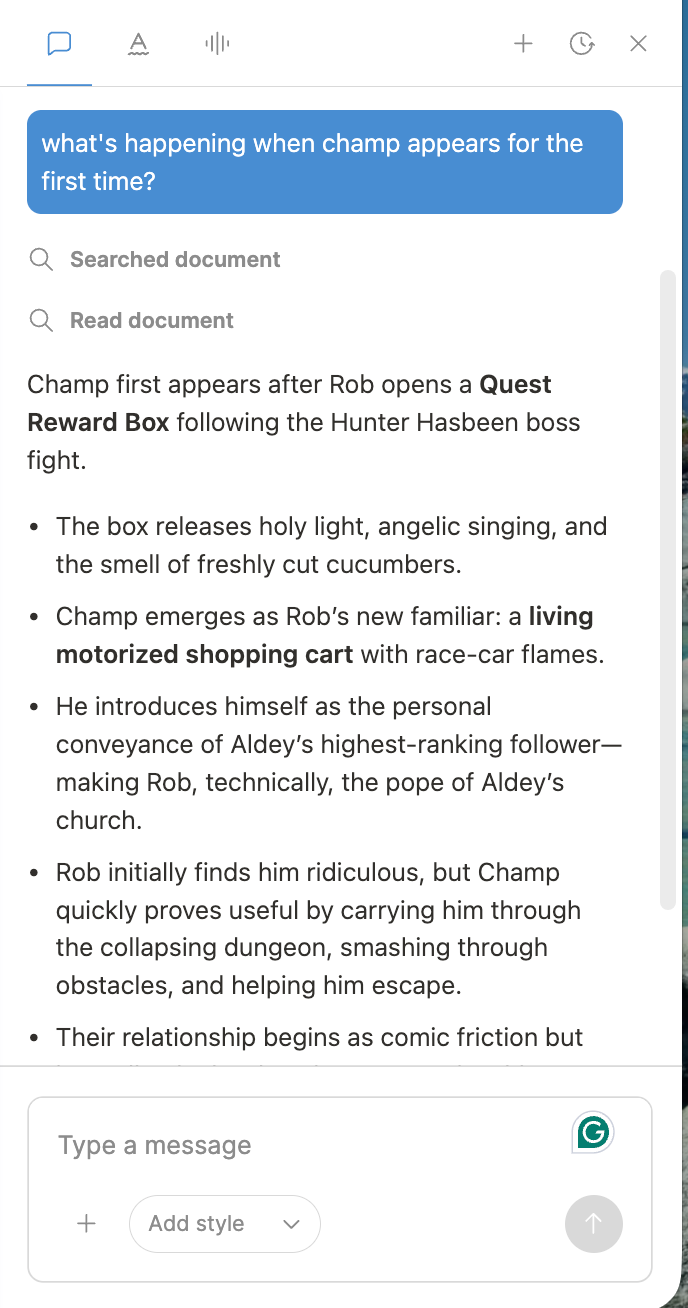
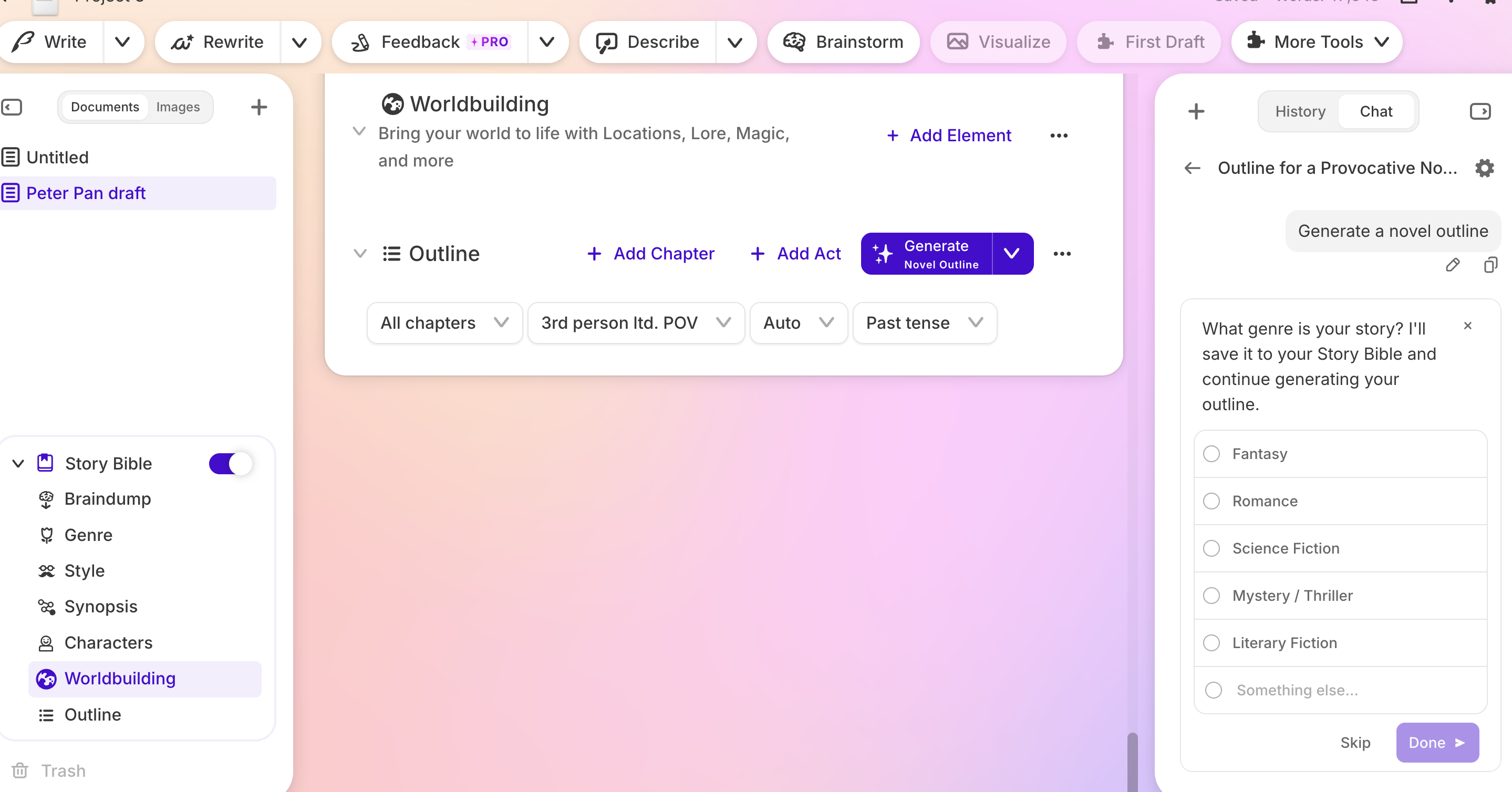
Sudowrite was able to digest the upload quickly but the Story Bible did not update automatically as it does with Type.ai. We tried to use the AI to get the updates done with one click, but it seems to be more complex than we expected.
It does not mean that Sudowrite is a less capable product, but simply means that the process to get from a rough idea or manuscript to a completed one might take a few extra steps along the way. If you are planning to write a series or need serious world building tool kit, it might still be the right approach and the right tool for the job.
If you already have a partial piece that needs to be imported into Sudowrite, this is a 'reset' price you may have to pay.
For this test with Sudowrite, we used Peter Pan as the test sample.
Story Bible: the honest concession
Sudowrite’s Story Bible is a major strength. It offers a detailed way to record story information and connect it to AI-assisted work. For writers who like to collect details about a world before drafting, it can be a useful part of the process.
Continuity is hard to maintain across an entire novel. It becomes harder across a series, when less prominent characters and details return after long absences.
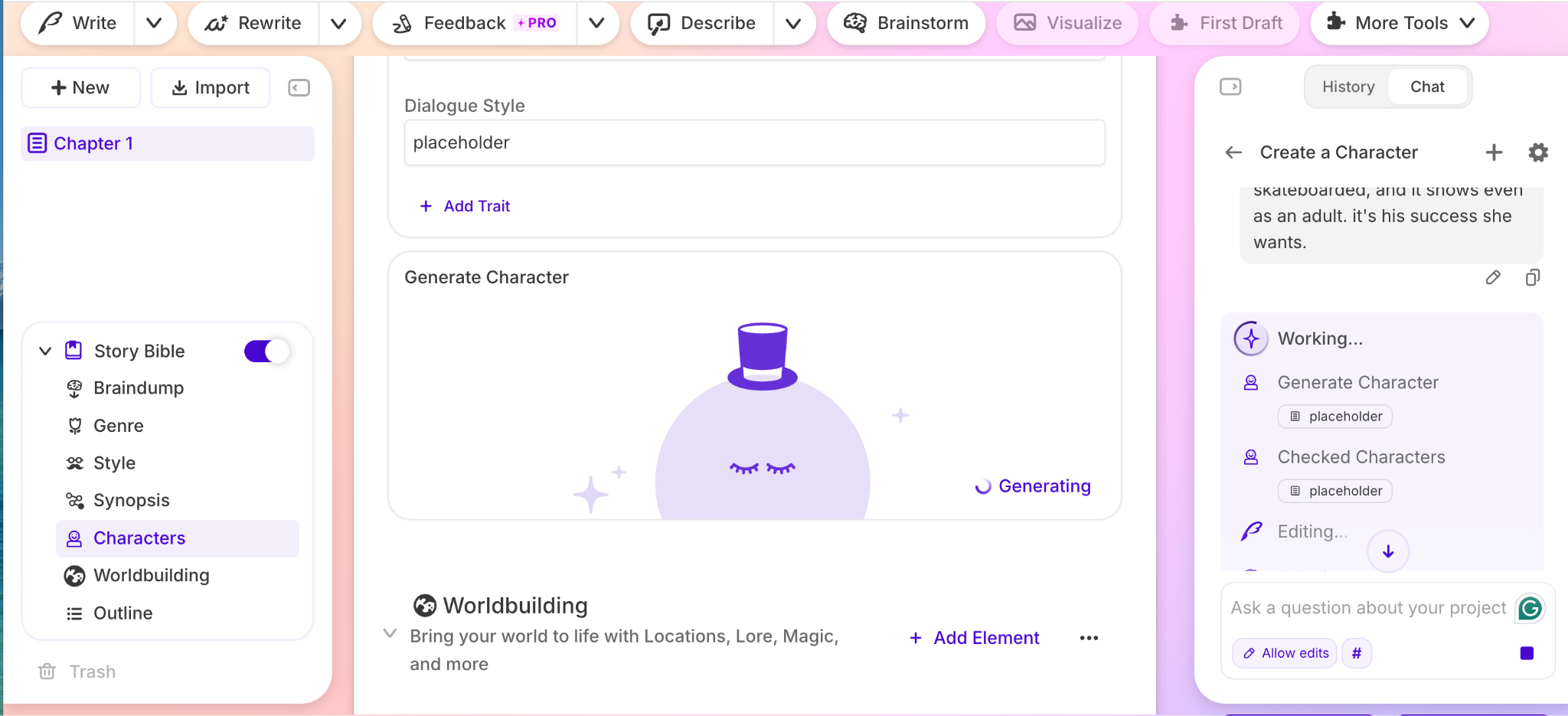
Sudowrite lets you record these details in several ways. It can analyze imported text to extract characters, identify lore elements in existing writing, or help brainstorm new ones. It stores information in cards that can be arranged visually in Canvas, and its series features support organization across books and documents.
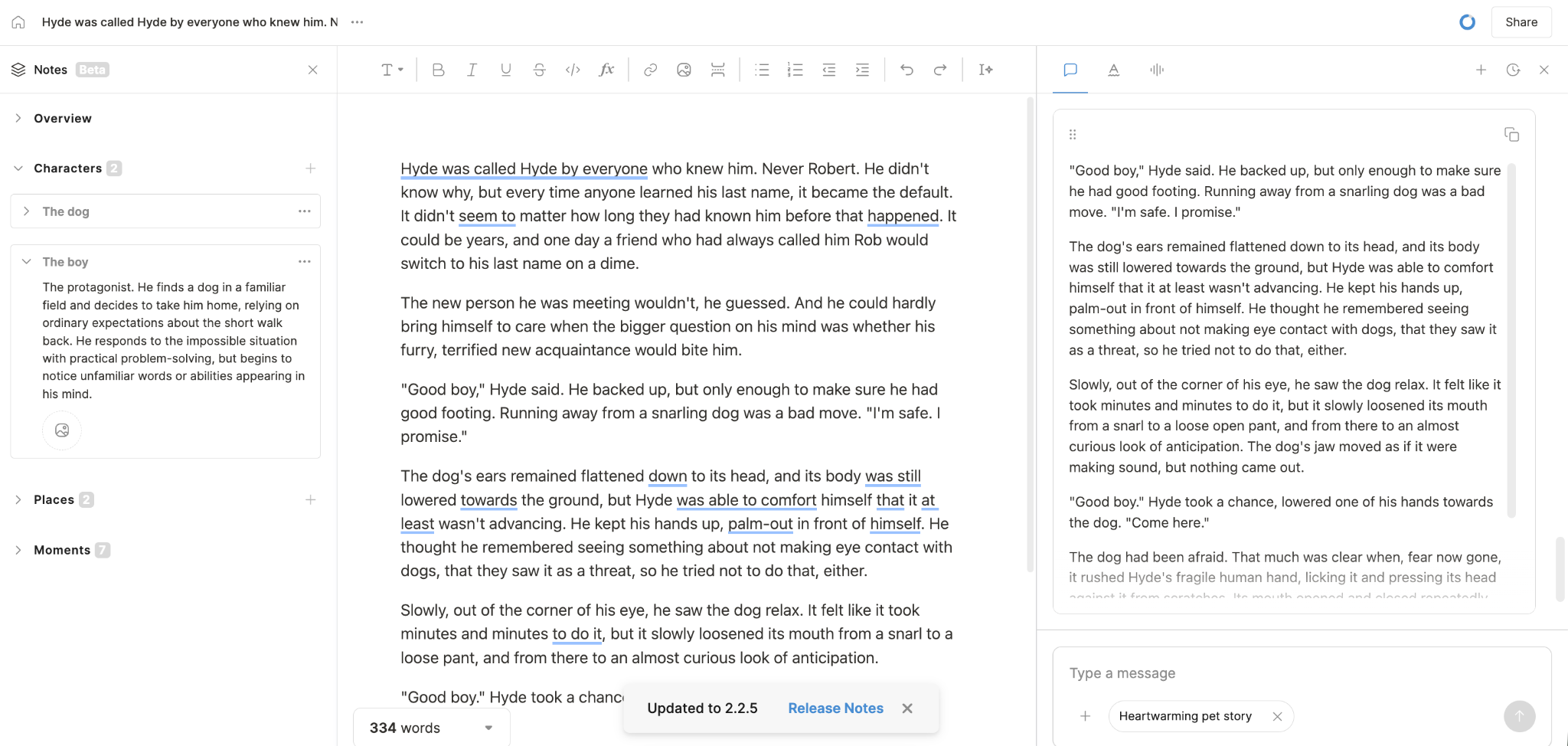
Type.ai’s Notes feature is different. Type’s design keeps notes relatively lightweight. Notes automatically pull characters, scenes, locations, and other worldbuilding aspects from novels, while allowing user edits. The surrounding system is less in-depth than Sudowrite’s.
Each tool fits a different style of writer. Sudowrite is better suited to the in-depth planner; Type.ai may be less distracting for writers who need occasional reference material to keep details straight. Type.ai’s Notes are useful for that purpose, but Sudowrite’s Story Bible offers more depth and structure. For writers who need that level of detail, it can be hard to replace.
Pricing and credits in practice
Comparing prices across AI tools is tricky. Companies describe their plans in different ways, and similar terms may not mean the same thing. Type.ai and Sudowrite both use credits, but a credit in one system is not necessarily equivalent to a credit in the other.
Type.ai’s plans are Free, Basic, Pro, and Max. The listed annual prices are $8, $16, and $64 per month for Basic, Pro, and Max. Monthly-billing prices are listed as $12, $24, and $96 per month. On an annual plan, that works out to 62,500 listed credits per dollar at Basic and about 93,750 at Pro and Max. This is a comparison of listed credits, not a measure of equivalent output.
Sudowrite’s plans are Hobby, Professional, and Max. The listed annual prices are $10, $22, and $44 per month; monthly prices are $19, $29, and $59. The listed allowances work out to 22,500 credits per dollar at Hobby and about 45,500 at Professional and Max. Again, the two products’ credit units are not directly comparable.
Type.ai’s monthly credits reset and do not roll over. Sudowrite’s lower-tier credits follow a similar reset pattern, while Max credits can roll over for up to 12 months, subject to the plan terms. In both products, AI features use credits; importing, exporting, and manual writing generally do not.
Model choice affects how quickly credits are used. Sudowrite offers several models, from higher-cost options to lower-cost ones. Type.ai offers models from OpenAI, Anthropic, and Google. Credit use can vary by model and task.
Pricing and plans may change, check the tools directly for current pricing and plans.
Which one for which writer?
Writers work in different ways and write different kinds of books. These profiles can help you decide which tool fits your process.
The debut novelist
For a novelist still figuring out how they work best, Type.ai offers a chance to use AI tools with little setup or learning-curve overhead. You can see proposed changes in the text, in line with the draft. It is an added incentive that one can start writing on the free plan and upgrade if it is the right tool.
The heavy-lore series author
Sudowrite wins here, with tools for keeping track of worldbuilding and lore across a novel and a series. Type.ai’s Notes feature is useful, but may not be enough for writers who need extensive worldbuilding and structured reference materials.
Nonfiction authors
Type.ai’s argument-structure and paragraph-level revision tools can also suit nonfiction writers, including bloggers, journalists, and authors of how-to and self-help books. Sudowrite’s strongest differentiators are more closely tied to fiction planning.
The hybrid writer
For authors who write blogs as often as short stories or novels, Type.ai’s broader writing toolkit may make it a useful single workspace for different kinds of text.
Editing and revision
Type.ai is the stronger fit for writers who want in-document commands and the ability to review proposed changes in the manuscript. Type.ai supports documents up to 150,000 words.
Frequently asked questions
Is Type.ai better than Sudowrite?
Neither tool is strictly better for every writer. Type.ai is the stronger fit for writers who want a document-centered environment for drafting and editing, including nonfiction writers. Sudowrite may be a better fit for writers who rely on its structured story-planning tools and Story Bible.
Does Type.ai have a Story Bible?
Type.ai has a Notes feature, but it is not the same as Sudowrite’s Story Bible. Type.ai Notes automatically tracks characters, locations, story structure, and worldbuilding elements. Sudowrite’s Story Bible offers a more specialized system for story details.
Which is cheaper, Type.ai or Sudowrite?
Type.ai offers a free plan with limited usage. If you are looking to experiment without a commitment, Type.ai is the right tool. Type.ai’s annual Basic plan is at $8 per month and Sudowrite’s annual Hobby plan is at $10 per month. Both tools cost around $29/month at the Pro tier. Credit allowances are not directly comparable.
Pricing and plans can change. Check the official pricing pages for the current pricing.
Which is better for writing a novel?
Type.ai may suit novelists who want to draft and revise in a document-centered workspace. Sudowrite may suit writers whose process depends on Story Bible, world building, and structured planning. The better choice depends on whether your main need is in-document drafting and editing or dedicated fiction-planning tools.
Which is better for nonfiction books?
Type.ai is the better fit for nonfiction writers who need to structure arguments and revise paragraphs in a long-form document. Sudowrite’s best-known strengths are fiction-focused.
Does either tool have a free plan?
Type.ai offers a free plan. That is enough to get started and check if the tool is suited to your style of writing. Once you get enough exposure, you can move to paid plans and unlock all the features and enhanced limits.
Sudowrite offers a free trial with no credit card required. It lets you experience the full tool, but then asks you to make decision to either use it or not.
What AI models does each tool use?
Type.ai’s paid plans include access to models from Anthropic, OpenAI, and Google. Type.ai automatically routes each writing task to the model best suited to it, rather than asking writers to choose a model. Sudowrite uses a mix of models, including its in-house Muse model and third-party options. Model availability changes, so check Sudowrite’s current documentation for the exact models and versions.
Is Sudowrite’s Muse model better than general AI models for fiction?
Sudowrite’s Muse is a fiction-focused model built for creative writing. That specialization may suit some fiction tasks, but we haven’t run a controlled comparison showing that Muse outperforms general-purpose models. Compare both on your own material and judge which better preserves voice, follows instructions, and supports your process.
Can I switch from Sudowrite to Type.ai and bring my manuscript?
Type.ai can import documents up to 150,000 words and preserve formatting. So yes, you can import documents from Sudowrite or any other tool into Type.ai
Sudowrite’s Story Bible will not transfer in the same way. Type.ai Notes may help capture details from an imported manuscript, but may have gaps.
Sudowrite vs Type.ai: which tool is better for plot points, plot ideas, and character arcs?
Sudowrite is the more specialized option if you want dedicated fiction-planning tools to develop plot ideas, track plot points, and work through character arcs. Its Story Bible and related planning features are designed around organizing story elements.
Type.ai can help you explore an idea or revise a scene, but its central workflow is the manuscript rather than a separate planning system. Fiction authors working on complex narratives may prefer a structured planning workspace; others may prefer to keep notes and decisions closer to the draft.
Can Sudowrite help with writer’s block and creative blocks?
Both Type.ai and Sudowrite can help fiction writers and creative writers brainstorm plot ideas, generate alternatives, or find a way into a scene when they feel stuck. Neither tool can guarantee that it will solve writer’s block. A brainstorm can help you return to story writing after creative blocks, but treat suggestions as starting points and decide what fits the story, character, and your own voice.
Can Type.ai give me ideas when I’m stuck at a blank page?
Type.ai can help you move from a blank page and start writing by responding to a prompt, developing an idea, or suggesting a next step, depending on the tools available in your plan. It can offer fresh perspectives to help a writer move forward, but that is not the same as having an intuitive understanding of your story. Type.ai still expects you to be the author while it plays the supportive (& capable assistant) to help you develop and finish the story.
Do AI writing tools reduce the mental load of long writing sessions?
They can reduce some kinds of mental load: remembering every detail, finding a possible next step, or generating options when a passage is not working. They can also add work if you have to check inaccurate details, repair generic AI prose, or manage a large volume of suggestions. Type.ai and Sudowrite both provide AI assistance, but their workflows differ. The important question is whether the assistance helps you sustain the writing process while leaving you in control of decisions—not whether the tool can generate content quickly.
Do these tools replace human creativity?
No. AI writing tools can generate possibilities, offer feedback, and help a writer get through a difficult passage, but they do not take responsibility for the story’s purpose, taste, or final choices. Sudowrite’s brainstorming and Type.ai’s in-document suggestions are forms of assistance, not substitutes for human creativity.
Using AI does not mean replacing human creativity; the writer still shapes the creative storytelling and decides what belongs in the finished work. A writer still decides which plot points matter, whether a character’s actions feel true, and whether the prose sounds like their own voice. The tools may change the writing process; they do not remove the need for a human author.
What should I look for in AI feedback and output quality?
Look for feedback that is specific to the passage and useful to your next decision—not just fluent or confident. Ask whether the tool noticed the actual issue, preserved the intent, and avoided introducing new plot details or spelling errors. For fiction writing, also check dialogue, pacing, point of view, and whether a detailed description adds something the scene needs.
Try a passage in different writing styles and compare rhythm, character voice, and generic phrasing; which result you prefer is partly a personal preference. If you use an auto-write feature for generating content, check whether it advances the scene or simply adds words you then have to remove. “Output quality” is not one score: a tool may be good at brainstorming but weaker at line editing, or vice versa. Judge both tools on the kind of work you actually do.
And more importantly, trust your gut.
What is the difference between specialized tools and a general AI assistant?
A specialized writing tool packages common writing tasks into a workflow. Sudowrite focuses on fiction features such as brainstorming and story organization. Type.ai is a long-form writing environment with AI assistance inside the document. A general AI assistant may also generate or revise prose, but usually requires more prompt setup and may not provide the same dedicated story-planning interface.
A simple chat interface can still work well for a writer who wants flexible prompting; the question is whether you value that flexibility or tools built around a particular writing process. Specialized tools can reduce setup friction; they do not automatically produce better writing. Compare the key features you will use regularly, not the length of each feature list.
Here's our comparison of Type.ai vs chatGPT.
Which AI models do Type.ai and Sudowrite use?
Type.ai’s paid plans include access to models from Anthropic, OpenAI, and Google. Type.ai automatically routes each writing task to the model best suited to it, rather than asking writers to choose.
Sudowrite's Muse model is specifically designed for creative writing. It also now offers popular third-party options like Claude, chatGPT, Gemini, Kimi etc.,
How does the credit system affect the Max and Professional plans?
Both products use plan limits, but their credit units are not interchangeable. Check the current allowance for Type.ai’s Max plan and Sudowrite’s Professional plan, what actions consume credits, when credits reset, and whether unused credits roll over. Careful management may matter if you regularly generate long passages or switch to models with higher usage. Don’t compare raw credit totals as if they represented the same amount of writing.
A practical test is to complete a representative task on each tool and record how much of your plan allowance it uses. For most writers, that is more useful than comparing credit totals alone.
Can I use these tools with Microsoft Word or Google Docs?
Yes. You can move documents between both tools and Word or Google Docs using files; the documented workflows are import and export, rather than live document syncing. Type.ai imports Word documents and PDFs, supports documents up to 150,000 words, and exports to DOCX, PDF, HTML, or Markdown.
Sudowrite imports DOCX and other common formats. Its Import Novel workflow is optimized for manuscripts up to 120,000 words; its separate Document Import adds a file to an existing project. Sudowrite can export documents as DOCX, but the Story Bible isn’t included in the export.
For Google Docs, download your document as a DOCX, import it into the writing tool, then export the edited draft and open it in Google Docs or Word. Check the formatting on a copy before moving a full manuscript.
Are Type.ai or Sudowrite useful for marketing copy, technical documentation, or image generation?
Type.ai can also support nonfiction, especially long-form work such as books and blog series. But if you mainly need short marketing copy or technical documentation, both tools may be not be enough for your needs. For image generation, a dedicated image tool is likely a better fit. For now, we recommend choosing a specialist tool when these are your main use cases.
Can AI tools maintain consistency across a long story?
Both tools can help track story details, but neither is infallible. Type.ai supports documents up to 150,000 words—roughly 200,000 tokens, though the exact token count varies with the text. That is enough for novels of average to slightly bigger size. Most novels run between 60000-100000 words, Type.ai supports size far exceeding that.
In one test with a 40,000+words manuscript, Type.ai maintained character consistency across the details we checked. That’s one test, not a guarantee.
Sudowrite takes a more structured approach: its Story Bible organizes details such as characters and worldbuilding for use in your project. To compare the tools, test each on the same detail from an earlier chapter and see what it recalls.