
How we tested these AI story generators
We picked tools that appeared in Google results for “AI story generator” and gave them the same detailed story idea: a literary science-fiction mystery about Mara, a radio engineer at an isolated lighthouse, who starts receiving a distress call a day before it is sent.
The prompt included the story elements we wanted: characters, setting, tone, narrative perspective, pacing and an emotionally costly ending. We wanted to see how each tool handled a specific story prompt, not just a broad request to create stories.
There was one difference: we added “Turn my story idea into a complete draft” only to the ChatGPT prompt. The story idea and creative brief were otherwise the same.
We judged the tools on the writing process: how they handled the story idea, whether they gave us useful structure, and what happened after the first generation. We weren’t scoring literary quality or comparing models. This was one hands-on test, not a comprehensive review of every feature.
A tool can produce a readable story without being a particularly helpful writing assistant. And a tool that starts with an outline may be more useful to a writer even if it doesn’t immediately produce a polished final draft.
The prompt we used
Here’s the story brief we gave the tools:
Write a literary science-fiction mystery about Mara, a careful radio engineer who maintains an isolated lighthouse on a small island. For six nights, the lighthouse radio has received a distress call exactly 24 hours before the ship sends it. On the seventh night, Mara hears her own voice in the transmission.
The only other person on the island is Ivo, the elderly keeper who insists the calls are recordings from a shipwreck decades ago. Mara trusts evidence; Ivo trusts memory. Give them distinct voices, believable motives and a strained but affectionate relationship. The central mystery should have a coherent explanation, but don’t resolve it with a dream, simulation or “it was all in her head” twist.
Aim for an eerie, restrained tone rather than action-horror. Use close third-person from Mara’s point of view. Build tension gradually, plant clues early, and make the final choice emotionally costly. Avoid stock sci-fi jargon and melodramatic dialogue. Develop this as a complete short story, with a clear beginning, turning point and ending.
For ChatGPT, we added one line at the start: “Turn my story idea into a complete draft.”
We weren’t expecting every AI story generator to make the same choices. We wanted to see how each tool helped us move from a story idea towards something we could develop.
Best AI story generator for the writing process: Type.ai
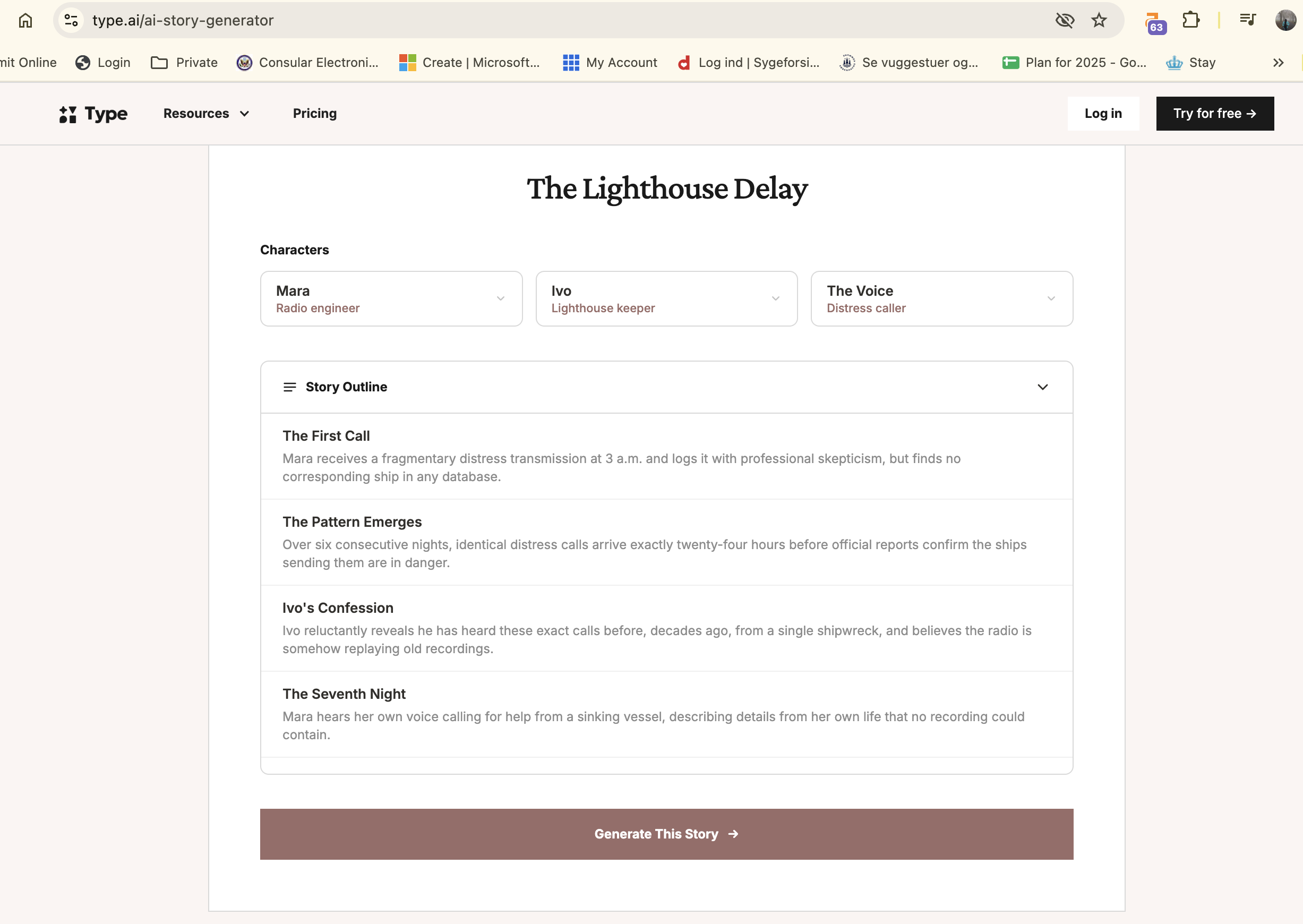
Type.ai was our (unbiased) pick because it started by organising the key characters and story elements, then created an outline before moving into story generation.
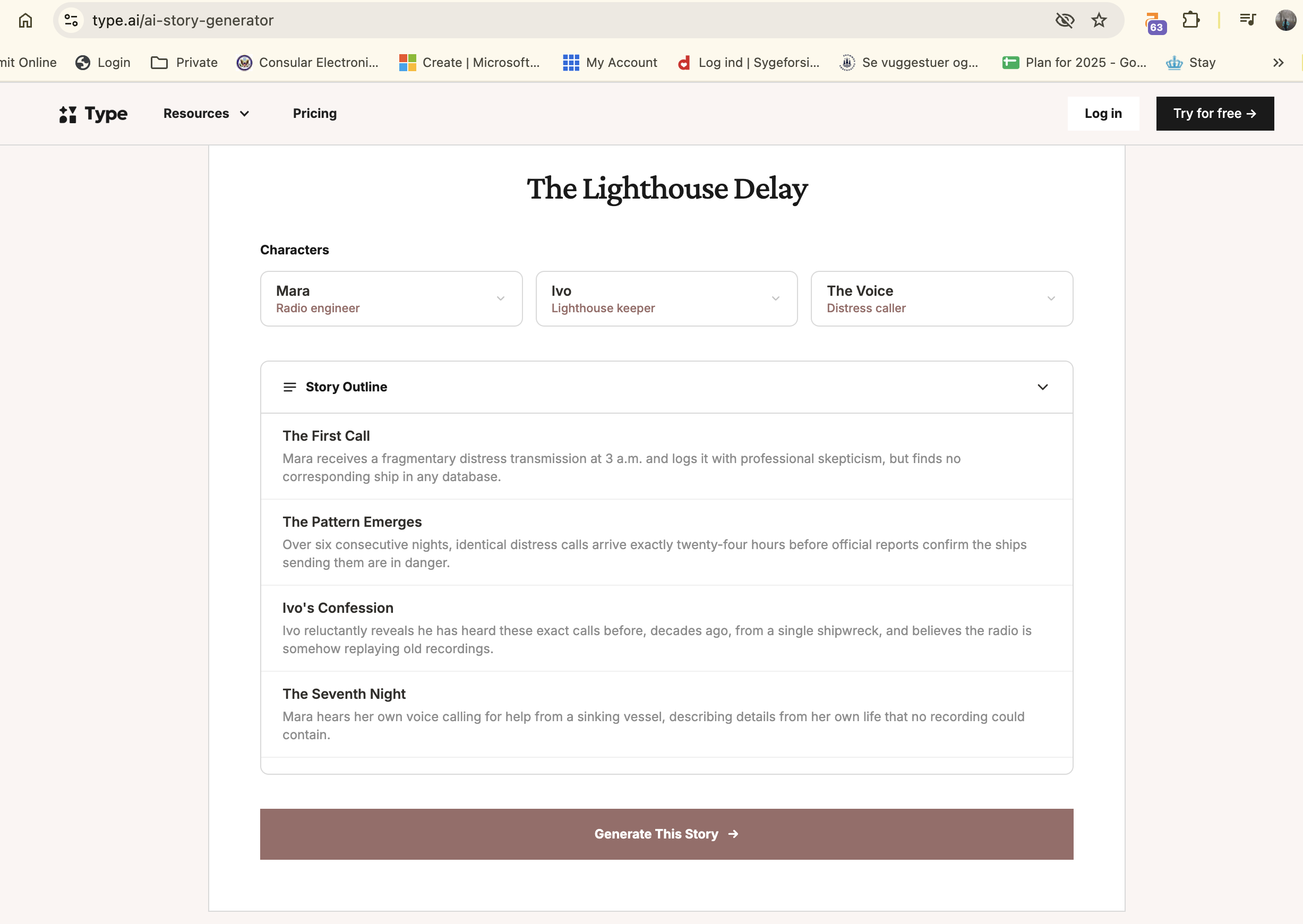
That felt more useful than getting a finished-looking block of AI-generated text straight away. The outline gives the writer a clearer view of the story’s direction before continuing. You can think about whether the premise is going somewhere interesting, whether the characters have enough reason to act, and whether the story is moving towards the kind of ending you wanted.
For us, that’s the difference between an AI story maker and a tool that can support the writing process. We weren’t looking for AI to take over the story. We wanted help getting from a story idea to a first draft while keeping some creative control.
An outline-first approach won’t suit everyone. If you only want a quick short story, it might feel like an extra step. But if you’re working on a longer piece, or you’re trying to overcome writer’s block without handing over every decision, having a structure to react to can be useful.
You can also use the same approach inside the core screens - via the chat. Again, the tool proposes and nudges you to decide which direction the story needs to move. The 'Notes' feature - an equivalent of the Story Bible in Sudowrite is automatically updated while this happens.
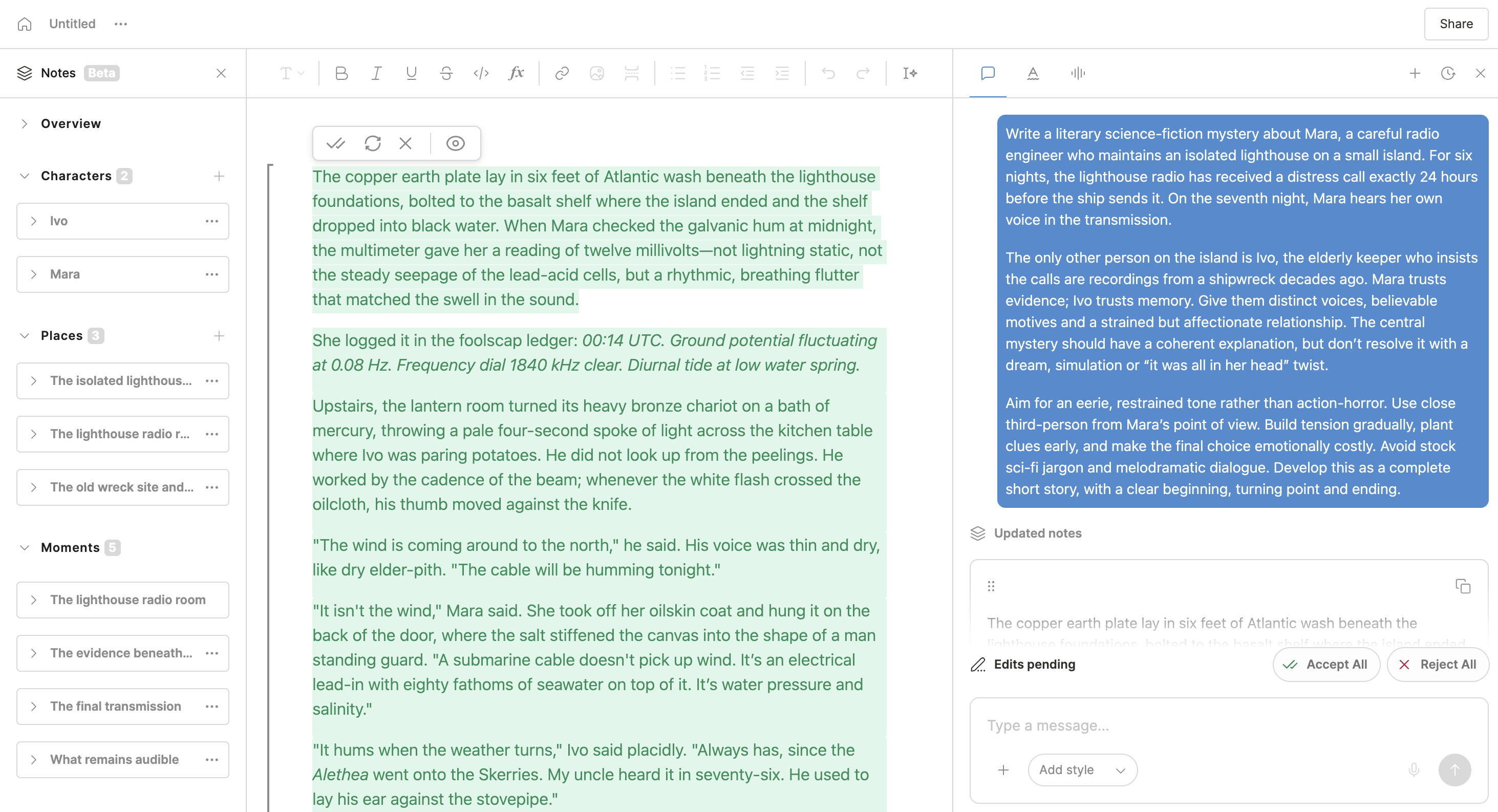
Our verdict: Type.ai was the best fit for the workflow we wanted: develop the story idea, look at the structure, then continue writing.
Other AI story generators we tried
ChatGPT: a decent one-shot short story
We asked ChatGPT to “Turn my story idea into a complete draft.” It generated a lengthy story that was a decent read as a short story.
That’s a reasonable result if you want an AI to turn a detailed prompt into a draft in one go. It followed the general shape of the request and gave us a complete piece to read. But our test wasn’t about finding the best one-shot story. ChatGPT gave us the story; Type.ai gave us more structure around developing one.
That doesn’t make ChatGPT a bad choice. Some writers want to see a full version first, then edit, cut and rewrite it. Others would rather plan the characters and plot threads before generating prose. The right AI tool depends on which part of the writing process you want help with.
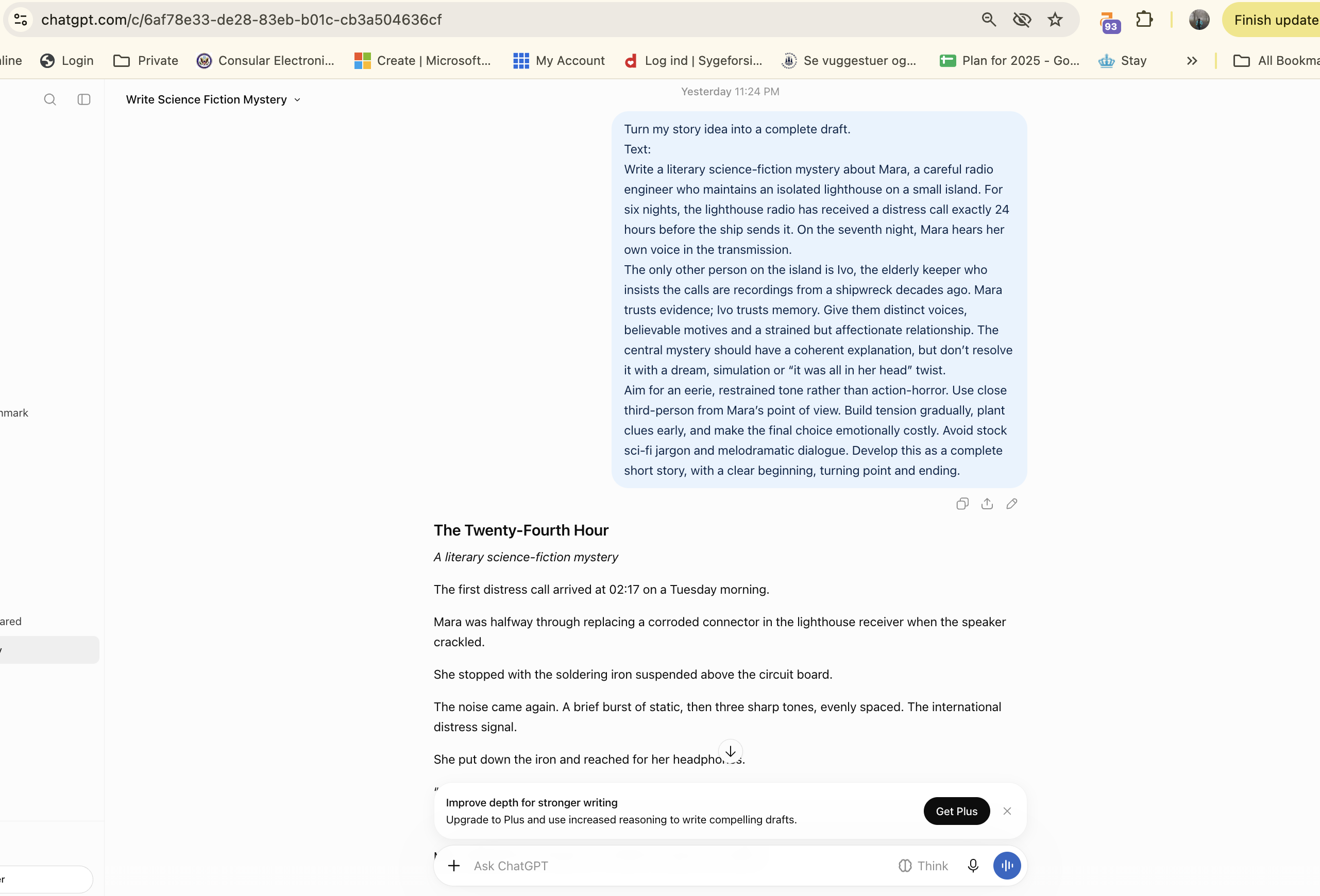
Our verdict: Good for getting a complete draft from a detailed prompt. We preferred Type.ai’s workflow for developing the story.
QuillBot: repeated errors interrupted the test
We tried QuillBot a few times, but kept getting a “something went wrong” message. One attempt generated a short section before failing.

We couldn’t get a reliable result, so we can’t fairly judge its story generation or writing style. In our test, we weren’t able to use it to develop the story or see what the next step in its writing process would be.
That’s an experience report, not a claim that the tool always fails. It simply didn’t work consistently enough for us to assess it.
Our verdict: We couldn’t properly test it because of repeated errors.
Perchance: paragraph-by-paragraph generation
Perchance generated one paragraph. The site describes its approach as helping you write a long story paragraph by paragraph, based on an overview and instructions, so a short first output may be part of the intended workflow.
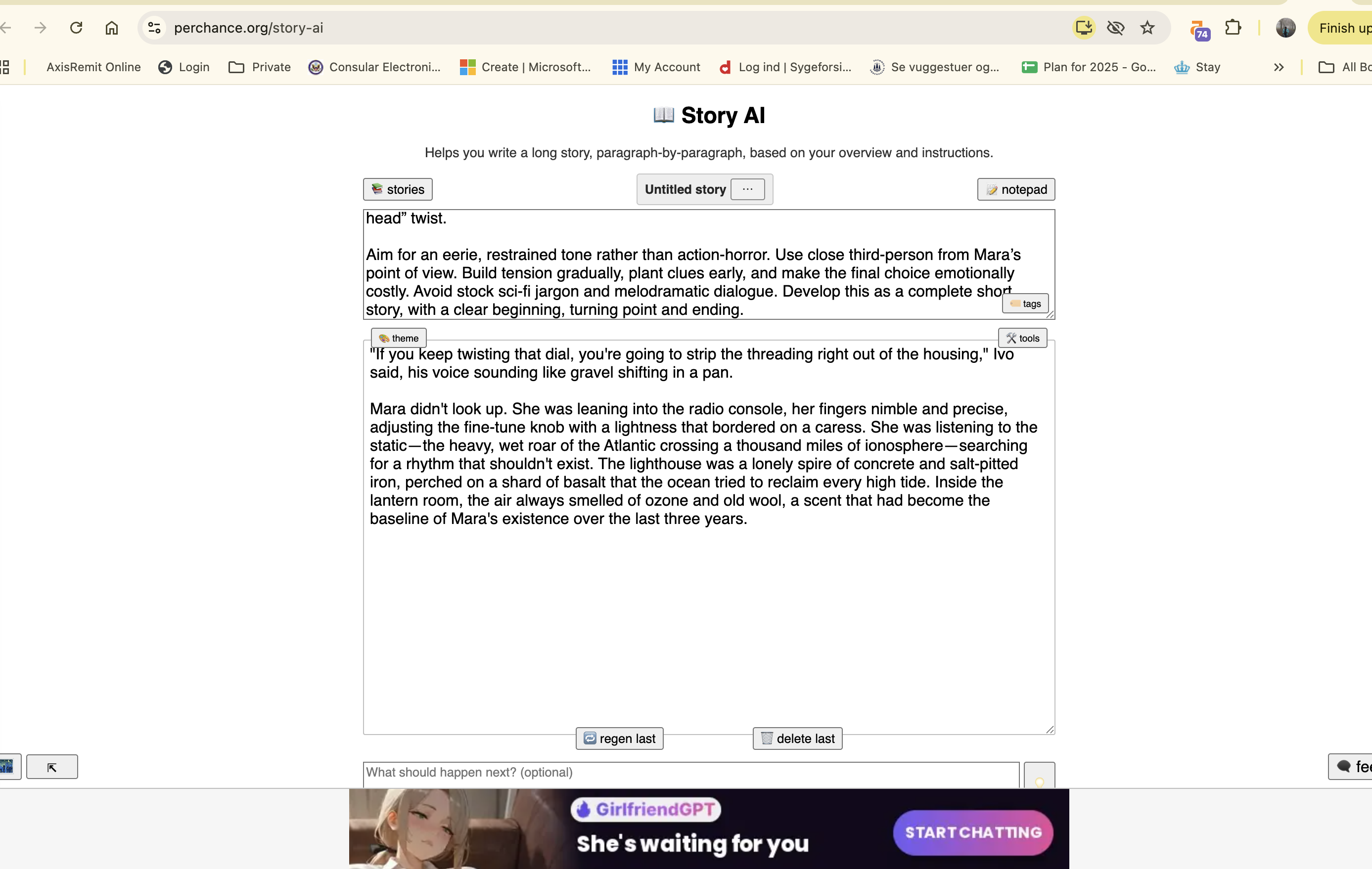
That could work for someone who prefers to build a story one section at a time. But we didn’t get enough of the process to judge how well it supports a longer story. We wanted to see an outline or another clear next step, so we could understand how the initial paragraph would turn into a complete draft.
The AI-girlfriend ad on the page also made the experience feel less focused on writers looking for a serious creative-writing tool. That’s a product and environment judgement, not a comment on the quality of the paragraph itself.
Our verdict: The paragraph-by-paragraph idea could suit some writers, but we couldn’t judge the longer workflow from our test.
Canva: a short, generic story
Canva generated a short story, but it felt similar to something a general-purpose chatbot might produce. We didn’t see much in the experience to help us develop the characters, plot ideas or story beyond that first output.
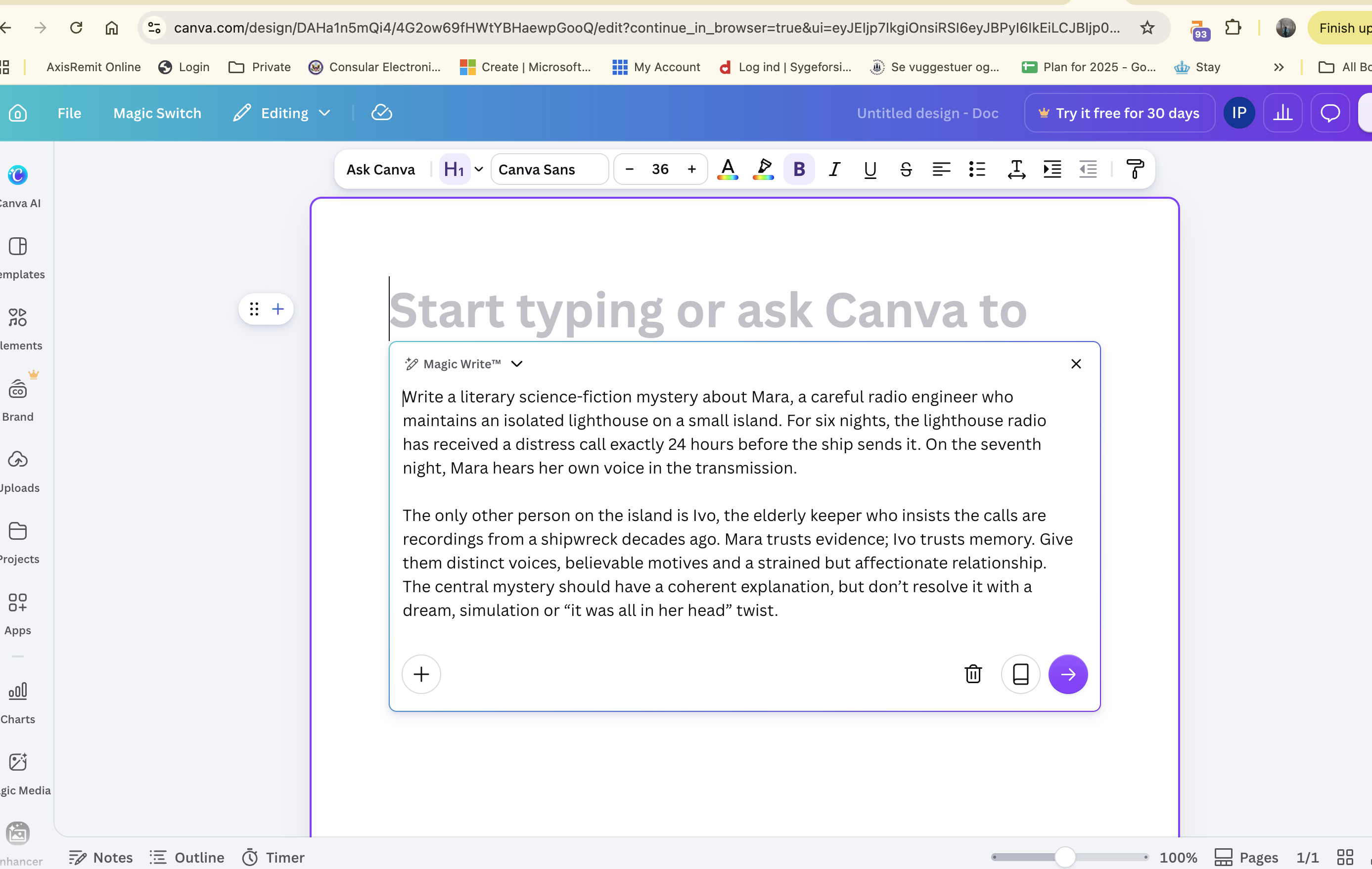
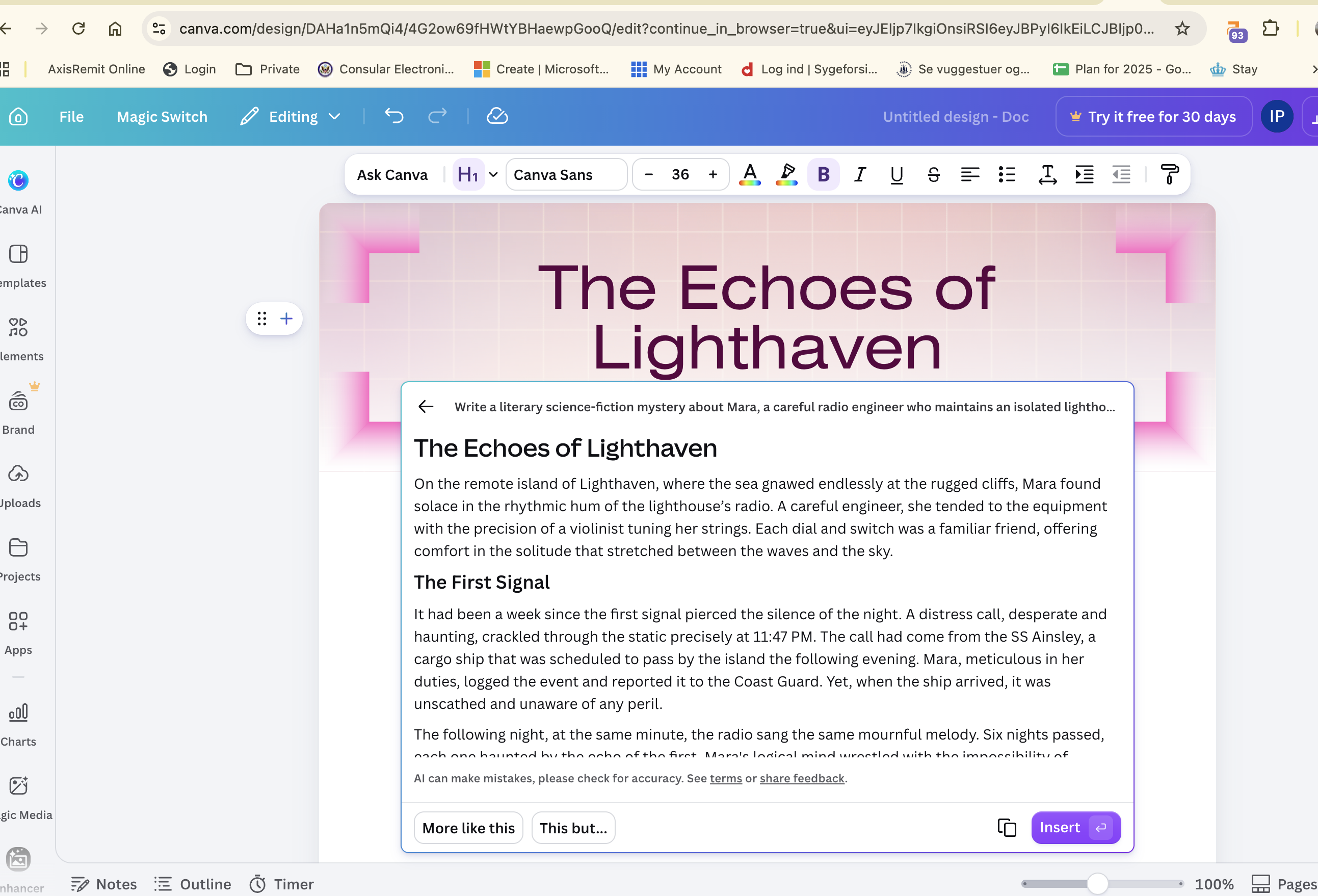
If you want a quick generated story, that may be enough. But for this test, we were looking for more than a short piece of AI-generated fiction. We wanted to see how the tool would help us work through the idea, and we didn’t get much evidence of a dedicated story-writing process.
Our verdict: It generated a short story, but the workflow didn’t stand out as a reason to choose it for developing a story.
Toolbaz: long output, but we couldn’t continue
Toolbaz generated a story of more than 900 words and prompted us to continue. The tool did not give an outline, just generated story as it saw fit.
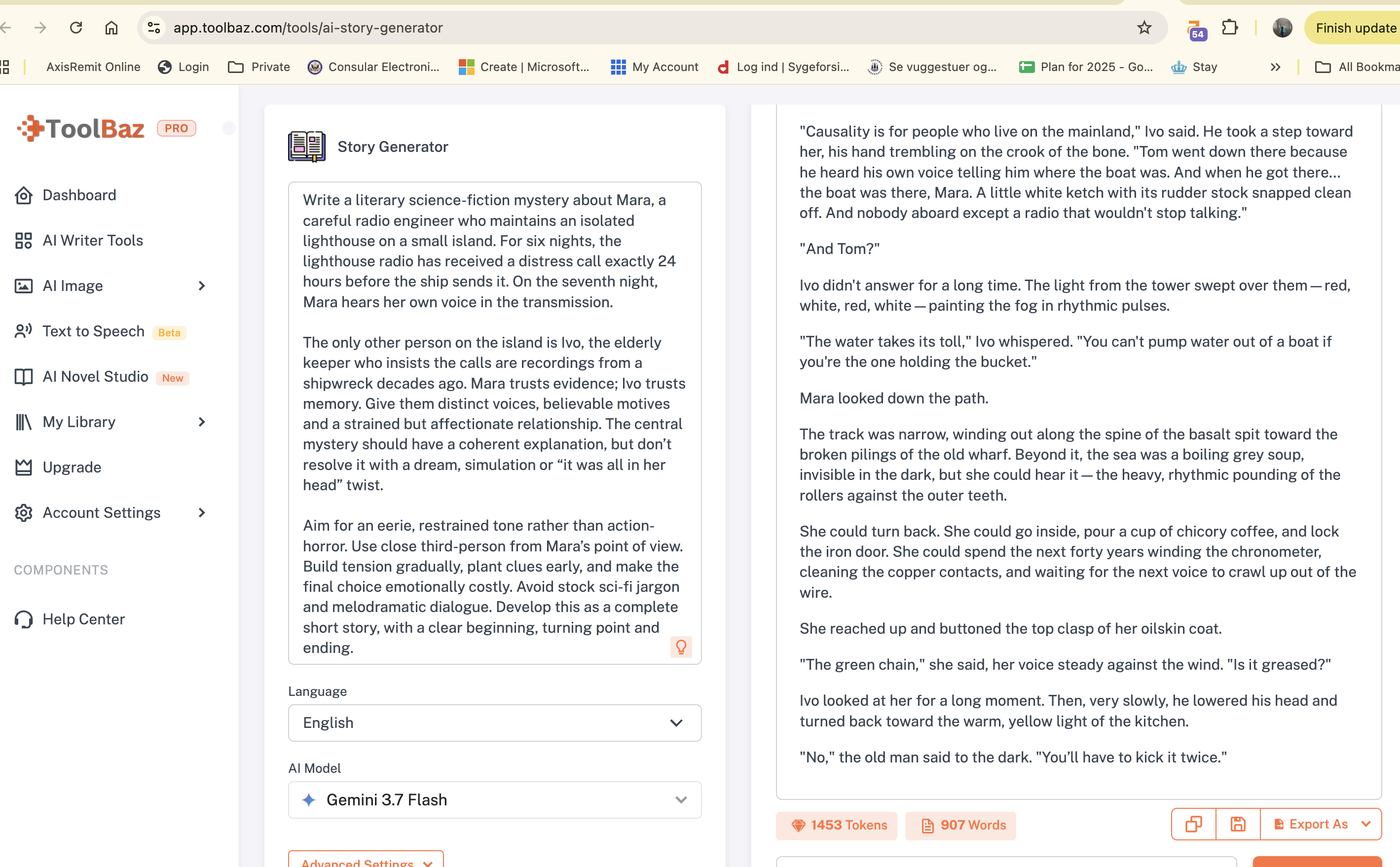
But we couldn’t retrieve the story and carry on, even though the earlier generation appeared in the history.
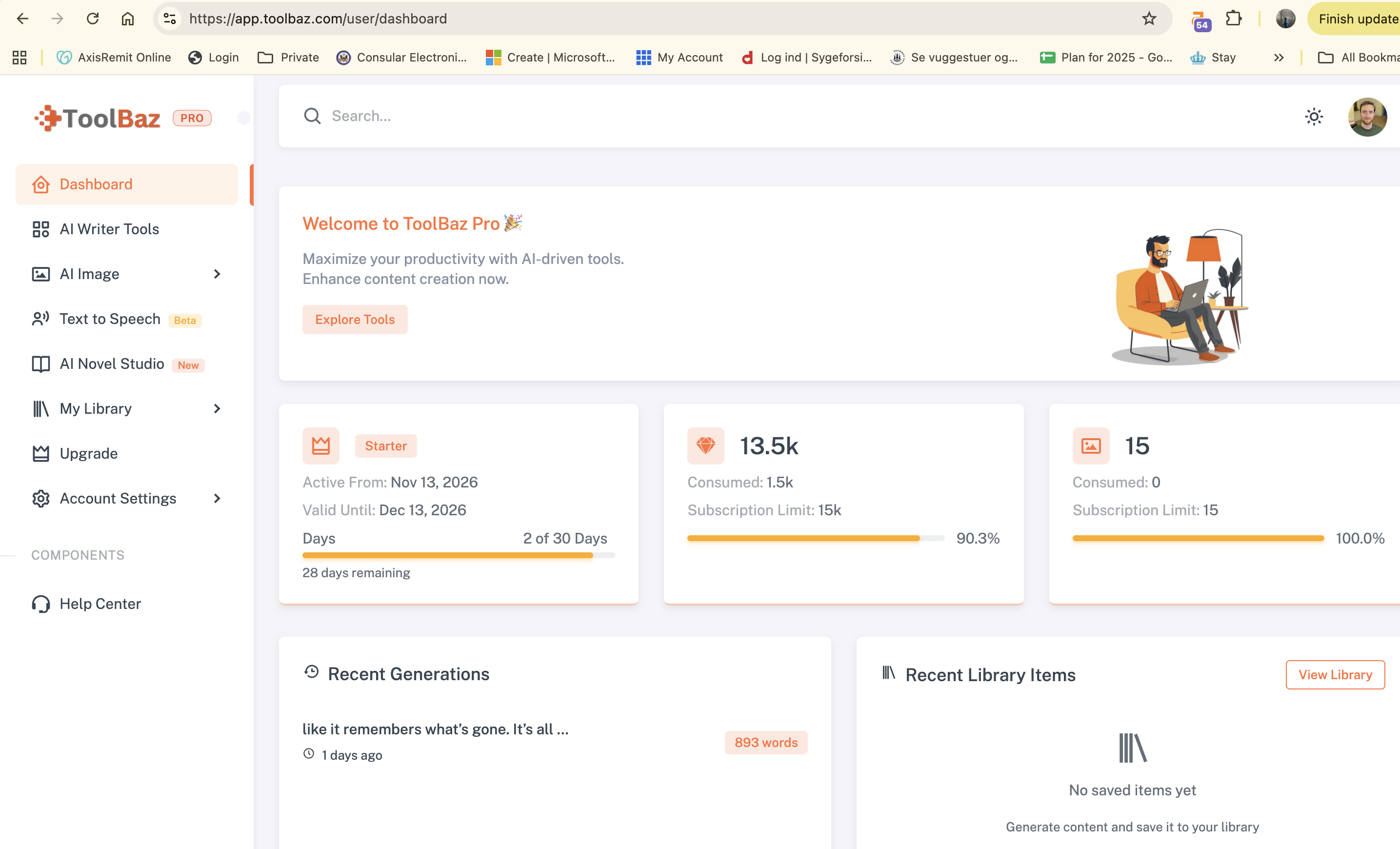
That made it difficult to use as a writing process. A long first draft can be a useful starting point, but a story-writing tool also needs to let you return to it and keep working. In our test, the continuation step didn’t work for us.
Our verdict: It generated the longest story we tested, but we couldn’t continue from it.
EaseMate AI: a short story from the default settings
Using the default settings, EaseMate AI generated a 594-word story. It showed DeepSeek V3.2 as the selected model.
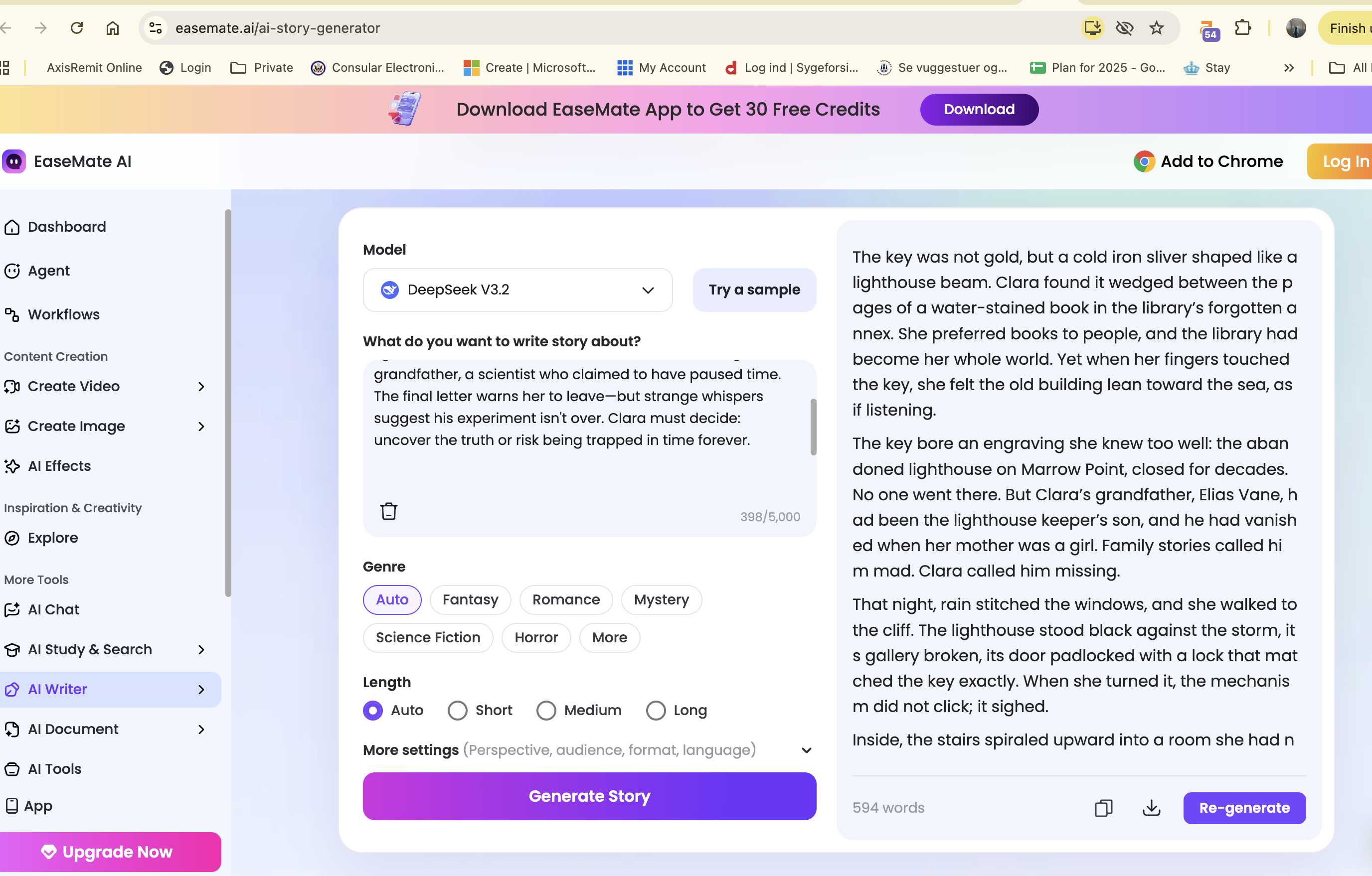
We’re including that as context, not as a model comparison. our test was about the tool’s workflow, not which AI model produced the best prose. We didn’t explore enough of EaseMate’s process to say how well it supports revising a story, developing characters or working on a longer project.
Our verdict: It generated a short story, but we don’t have enough from this test to judge its broader writing workflow.
Which AI story generator should you choose?
This isn’t a ranking of which tool writes the most compelling narratives. It’s a guide to the kind of workflow we experienced. We had enough trouble with QuillBot and Toolbaz to report those problems, but not enough to make broad claims about how they work for everyone.
What makes a useful AI story generator?
For us, the best AI story generator isn’t necessarily the one that produces the longest or most polished first draft. It’s the one that helps us do something useful with the story idea.
That might mean organising the characters, exploring plot ideas, shaping an outline or giving us a clear way to continue writing. A generated story is a starting point. The writer still needs room to revise it, change the direction and make it their own.
This is especially important for long-form projects. A tool that gives you one exciting opening but loses track of the characters or leaves you with nowhere to go may not help much once you get past the first few paragraphs. For a short story, a one-shot draft might be enough. For a novel or a larger creative project, the writing process matters more.
That’s why Type.ai was our pick in this test. ChatGPT did a decent job when we explicitly asked for a complete draft, but Type.ai’s outline-first workflow better matched what we wanted from an AI writing assistant: help developing a story, not just a finished block of text.
If you want a complete short story from one prompt, ChatGPT worked well in our test. If you want a more structured process for developing your own story, we’d try Type.ai first.
For a dedicated manuscript review: Inkshift
Type.ai’s chat can help while you’re writing. Inkshift is for when you have a draft and want feedback on the manuscript as a whole.
We tried it with a draft of Peter Pan. The feedback was organised into sections covering the overview, major strengths, editorial priorities, structure and pacing, character and dialogue, prose and style, and next steps. That made it easier to see what was working and where to focus revisions.
If you want a dedicated manuscript review alongside the help Type.ai’s chat provides, Inkshift is our recommended complement. We’re collaborating with Inkshift on this roundup and working to secure a special discount for Type.ai customers. We’ll add the details if one becomes available.

Frequently Asked Questions
Is Type.ai’s AI story generator free?
Yes. You can try the free AI story generator without signing up or entering a card. It gives you an outline and an opening preview, not a finished novel. The tool shows you an outline before it turns into a more developed story. If you want to keep writing in Type.ai’s editor, simply use the chat function to provide the input and ask it to develop the story.
How do I write a good prompt for an AI story generator?
The more context you give the AI, the better they tend to perform. Give it detailed context of what you’re trying to write: where it happens, who’s in the story, what they want, and the mood you’re after. Add a point of view and rough length.
If you are working on along story, ask for an outline or a few possible scene ideas first. Then adjust the prompt and see where it takes you. More detail helps, but it won’t guarantee a good story.
Can AI help with character development and consistency?
AI can help you develop rich characters by suggesting their motivations, backstories and relationships. Keeping characters consistent is harder, especially across a long story: a chatbot may lose track of details or change a character’s voice. Keep your own character notes, and use a writing tool built for long-form projects, like Type.ai, to help you keep developing the story.
Can I create stories in different genres?
Yes. You can prompt for imaginative stories in genres from romance and science fiction to horror, literary fiction and bedtime stories. Include specific details about the genre conventions, chosen style and desired tone. AI can adapt to those instructions, though it may still lean on familiar tropes. Some general chatbots also restrict certain themes, so check the tool’s guidelines. Type.ai is worth trying if you want to explore different genres while developing a story.
How do fiction-writing tools differ from general chatbots?
A chatbot is handy for a quick idea or scene. But as a story grows, you can end up repeating the context and reminding it who’s who. Fiction-writing tools are built around more of the process: planning, developing characters and revising scenes in the same workspace. For a longer project, we’d try a specialist tool like Type.ai, where you can shape the outline before carrying on with the draft.
Can AI help me overcome creative blocks?
Yes. When you’re stuck, ask for a few possible directions—not a finished story. A character choice, a new complication or an alternative scene can give you something to react to. Type.ai can help you explore those options and keep developing the story in one place.
Can AI-generated stories be original?
AI can give you new ideas and turn them into an AI-generated story, but that doesn’t guarantee a completely unique or original result. Treat the content generated as a starting point. Add your own writing, make choices about the characters and plot, and revise the draft until it feels like your story. AI can help you work towards an engaging story; it can’t make the creative decisions for you.
Can I use an AI story generator for commercial projects?
Possibly, but check the tool’s terms before using generated content for commercial purposes. This applies to fiction and other work, such as a brand story. A free AI story generator or free tier doesn’t necessarily have the same terms or limits as premium tools. For commercial content, check the usage rights, review the generated text carefully and verify any factual claims.
What should I look for in a fiction-writing tool?
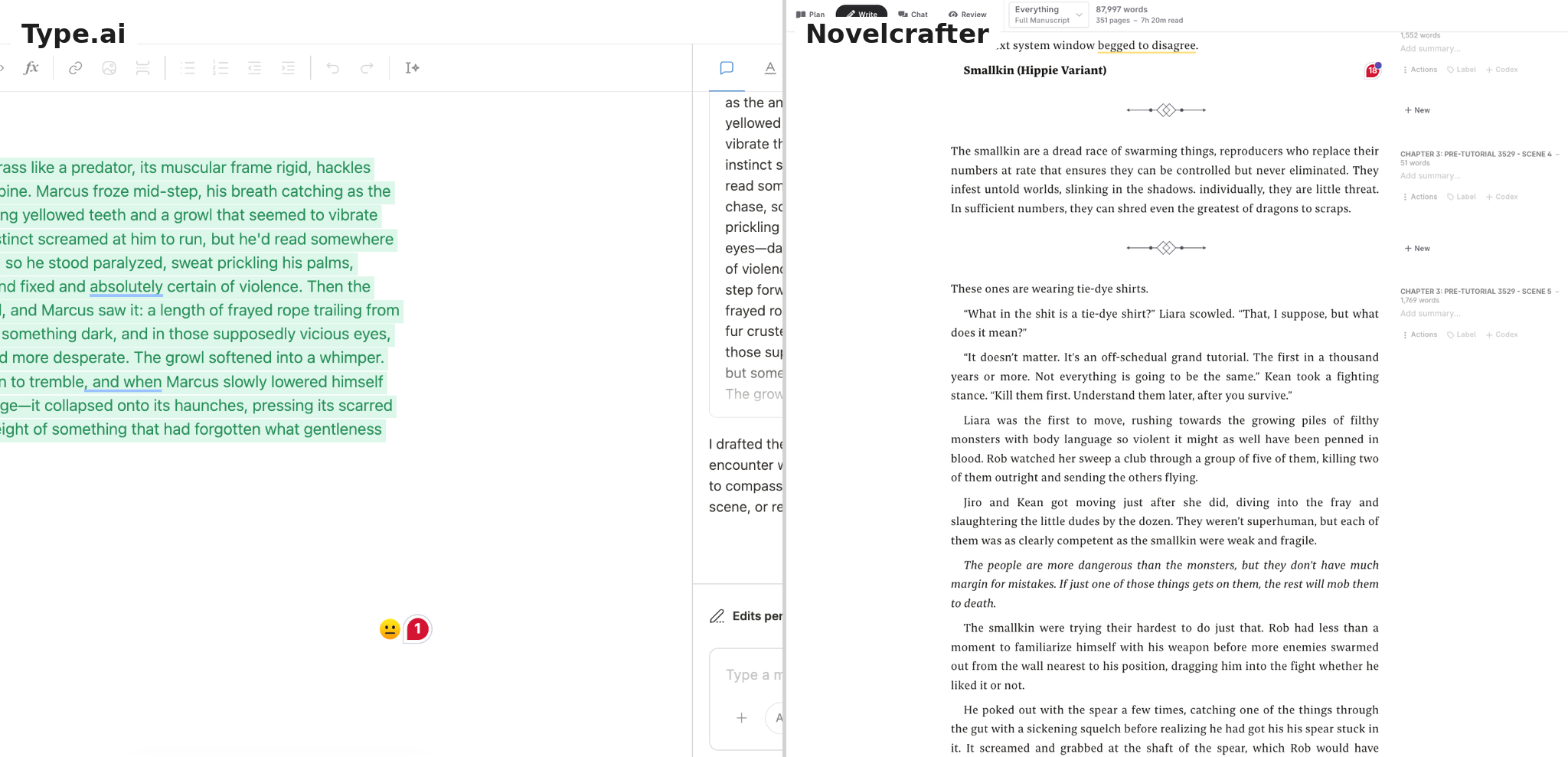
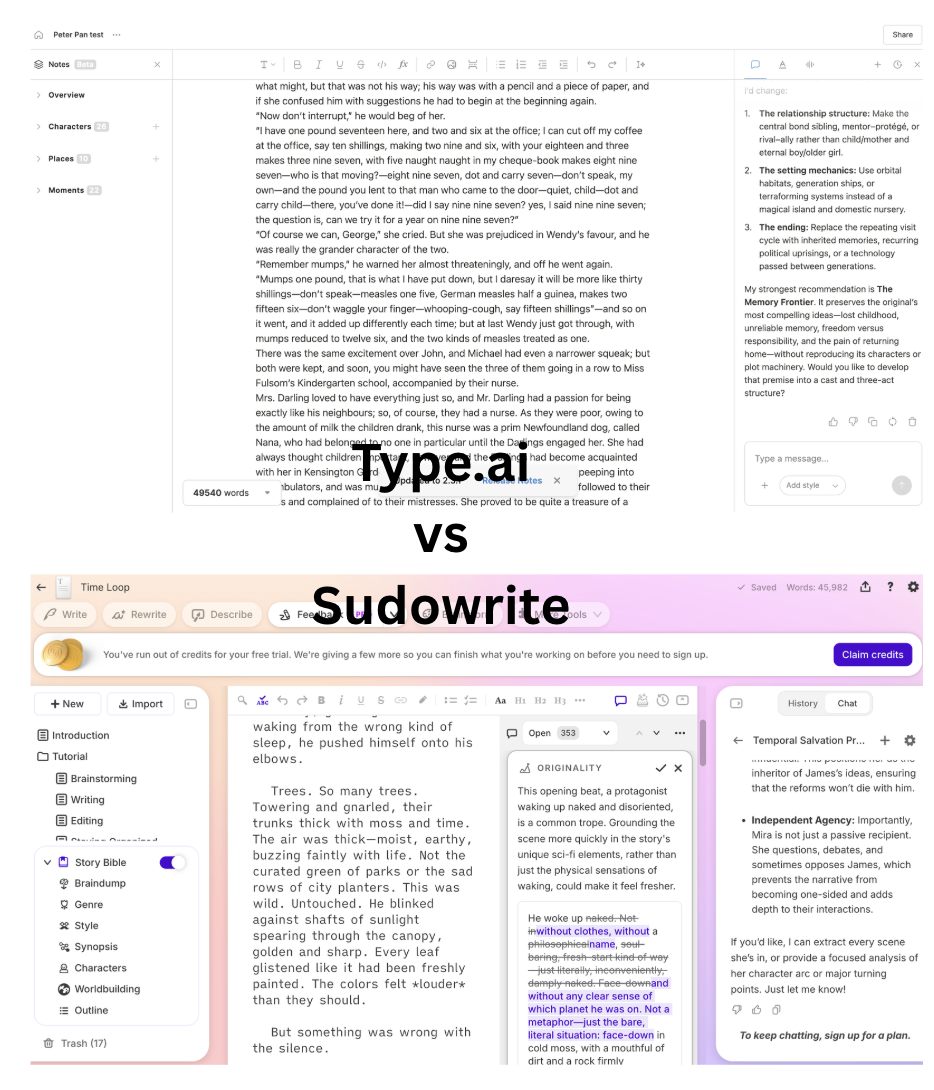
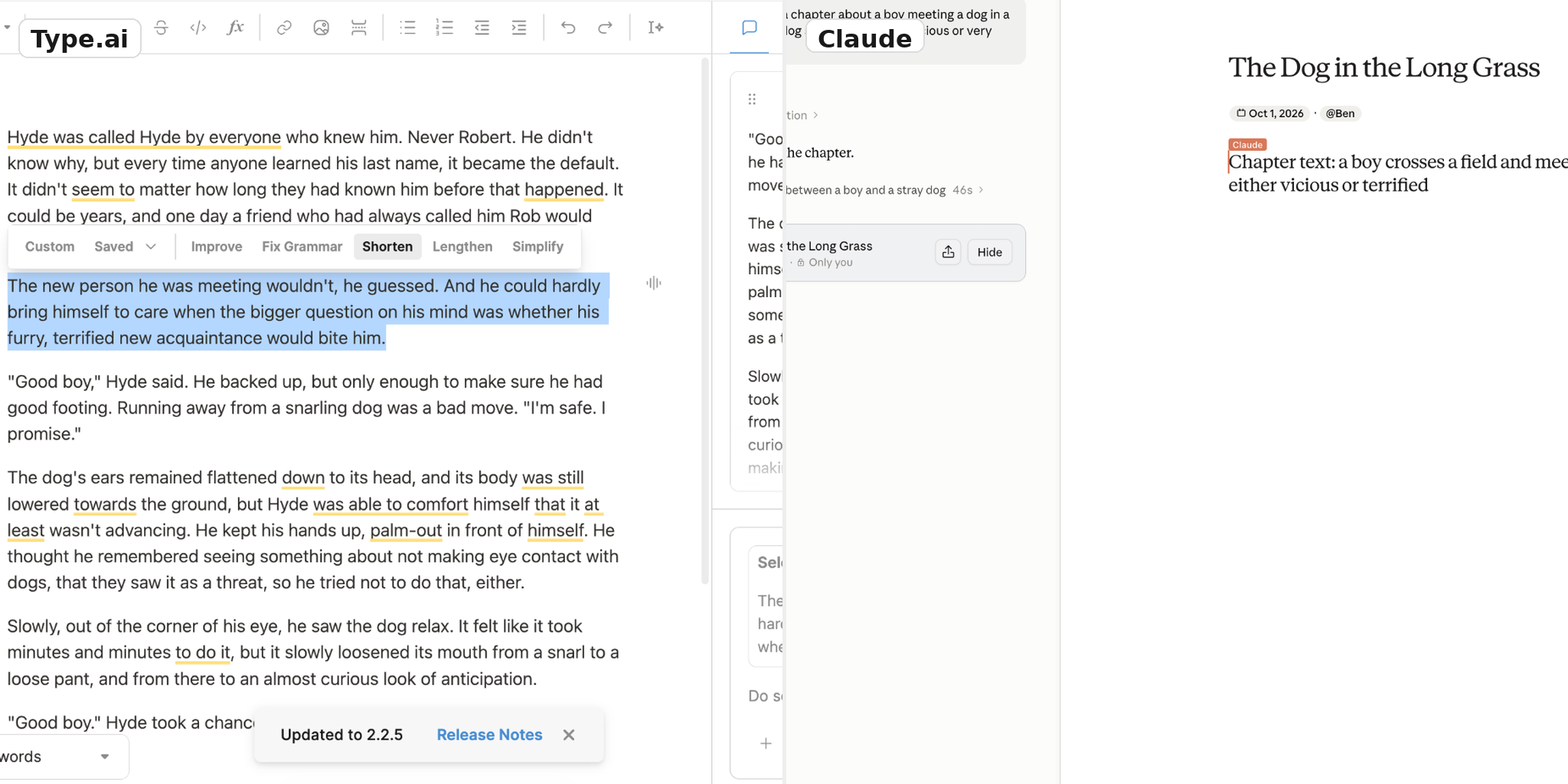
General chatbots are useful for quick ideas or scenes. Specialist tools are designed around more of the writing process, such as outlines, character notes, revisions and long-form projects. Some let you connect different AI models or organise story details: Novelcrafter, for example, offers multiple AI-vendor connections and a Codex, while Sudowrite offers rewriting and story-planning features. A long-context model such as Claude may help maintain a desired tone, but no model guarantees continuity. We’d look for a workflow that helps you generate ideas, explore multiple versions and stay in control—not just one that writes the whole story for you.
Final thoughts: should I use AI to write a story?
Yes—if you treat it as a writing partner, not a replacement for your own ideas. AI can help when you’re stuck, suggest a new direction or turn a rough premise into an outline. You can ask for different versions of a scene, then keep the parts that feel right and rewrite the rest in your own voice.
The best workflow depends on what you’re writing. A chatbot may be enough for a quick idea or short draft. For a longer story, we’d look for a tool that helps you plan, develop characters and keep working on the draft in one place. That’s why Type.ai was our pick in this test. It gave us a structure to respond to, rather than just a finished block of generated text.
Whatever tool you use, review the output. The story should still feel like yours.